
How to Connect BitGet to AstraBit
This guide explains how to connect your BitGet account to AstraBit using API keys so the two platforms can communicate securely.
The steps cover where to find API settings on BitGet, how to create and configure keys, and where to enter that information in AstraBit.
This article does not provide trading advice and is only for technical setup.
Users who register for BitGet through this link for the first time are eligible for the Freemium plan, where you can earn credits based on trading volume to help reduce or cover costs associated with AstraBit products or services.
- You are trading with USDT,WSDC, or COIN-M Futures
- You have a minimum balance of at least $150 in your derivatives/futures wallet
Step 1: Log in to BitGet & Navigate to API Management
- Log in to your BitGet account
- Click your Profile icon (top right)
- Select API Management
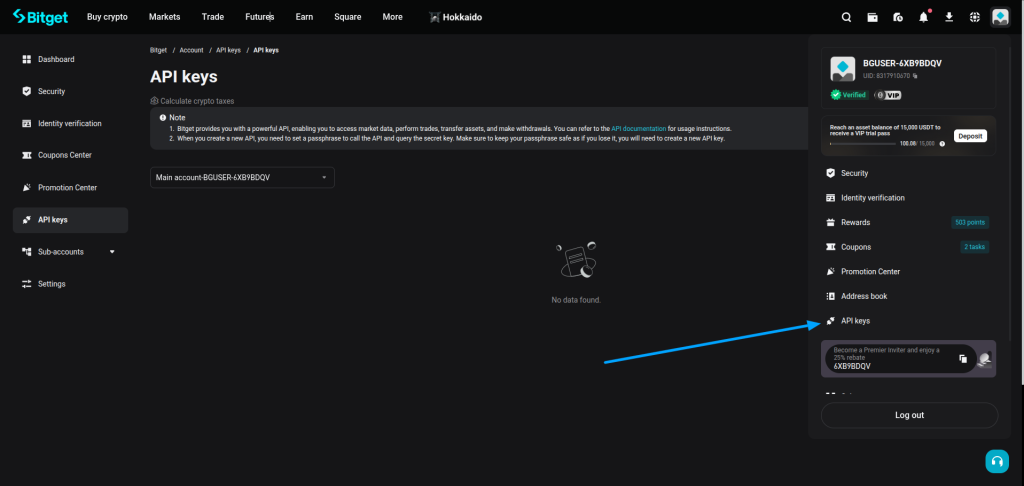
Step 2: Create API Key
- Click Create API Key
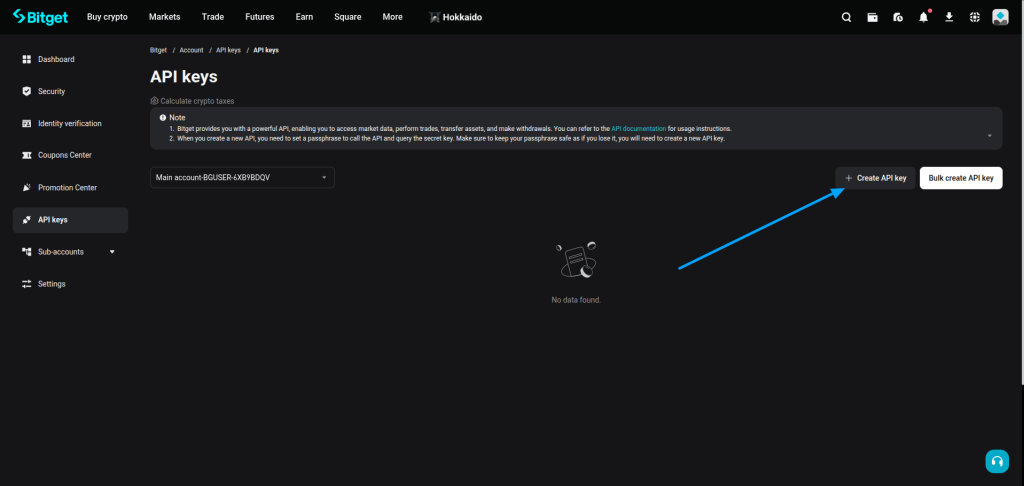
Step 3: Configure API Settings
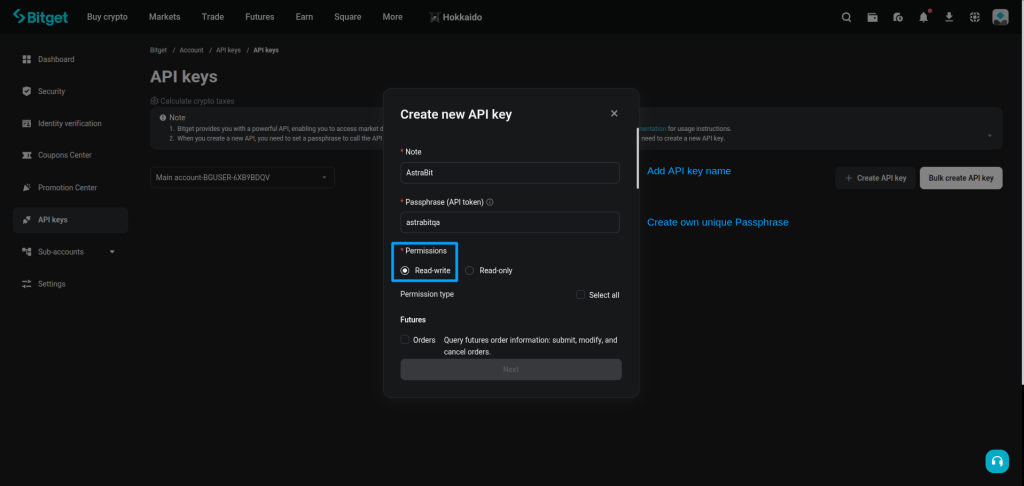
- Enter API name (e.g., AstraBit)
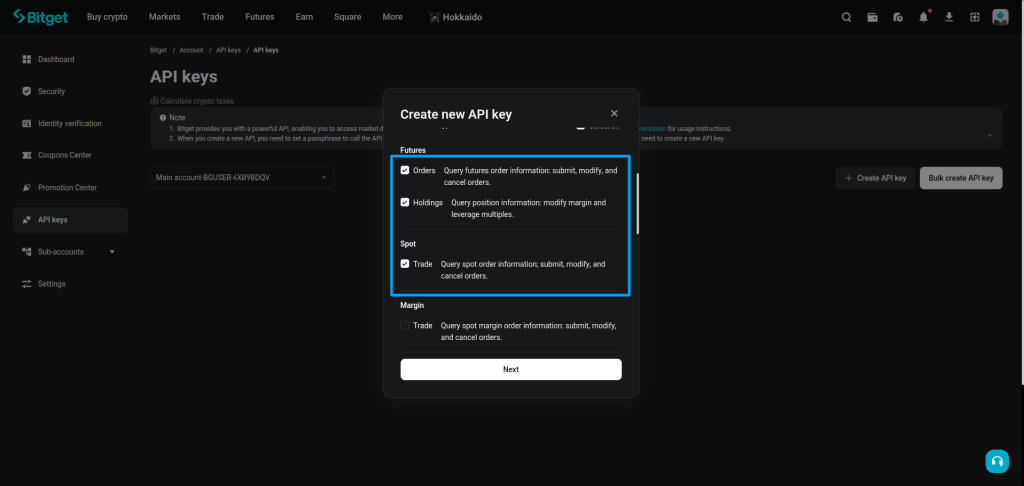
Enable:
- Read permission
- Futures trading permission
Disable:
- Withdrawal
- Transfer
⚠️ Important:
Ensure your BitGet API is configured with the following permissions:
- Withdrawal / Transfer disabled
- Read enabled
- Futures Trading enabled
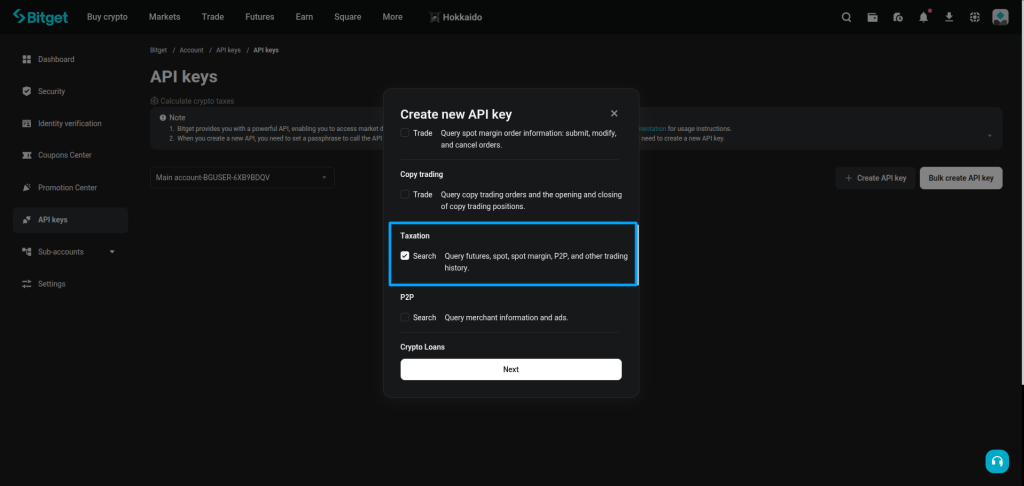
Step 4: Set API Security
- Create a Passphrase (you will need this in AstraBit)
- (Recommended) Add AstraBit IPs to whitelist
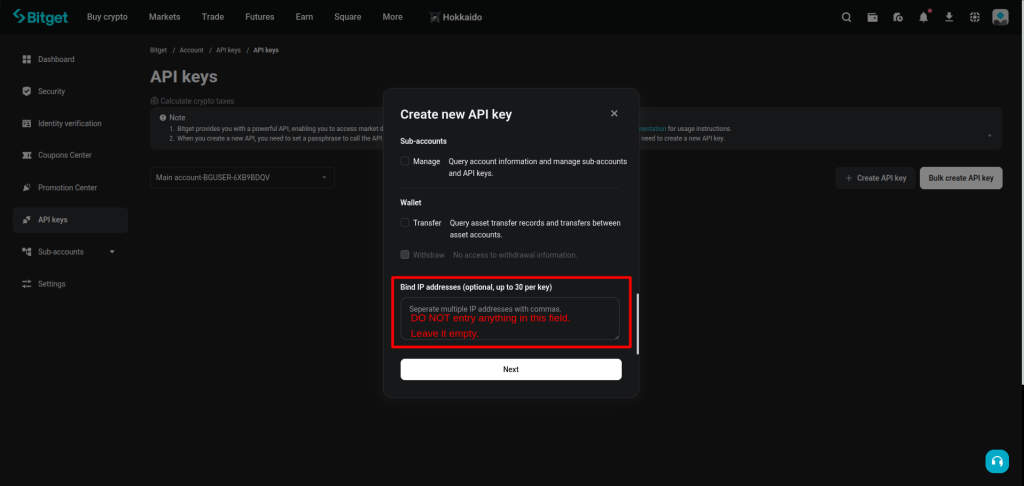
Make sure to store your Passphrase securely. If it is lost, it cannot be recovered and you will need to create a new API key.
Step 5: Complete Security Verification
- Enter:
- Email code
- SMS code
- Google Authenticator (if enabled)
- Click Confirm
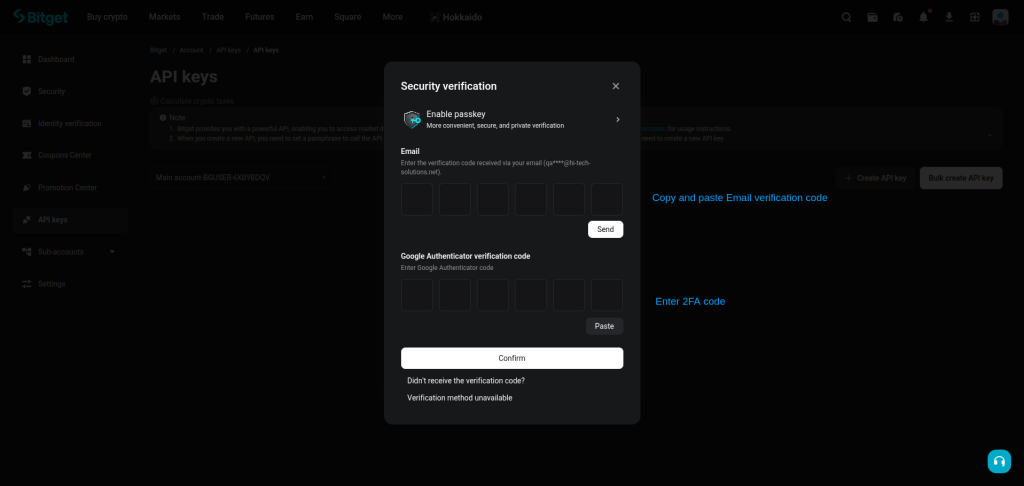
Step 6: Copy API Credentials
Copy the following:
- API Key
- Secret Key
- Passphrase
⚠️ Attention:
Secret key is only shown once — store it securely
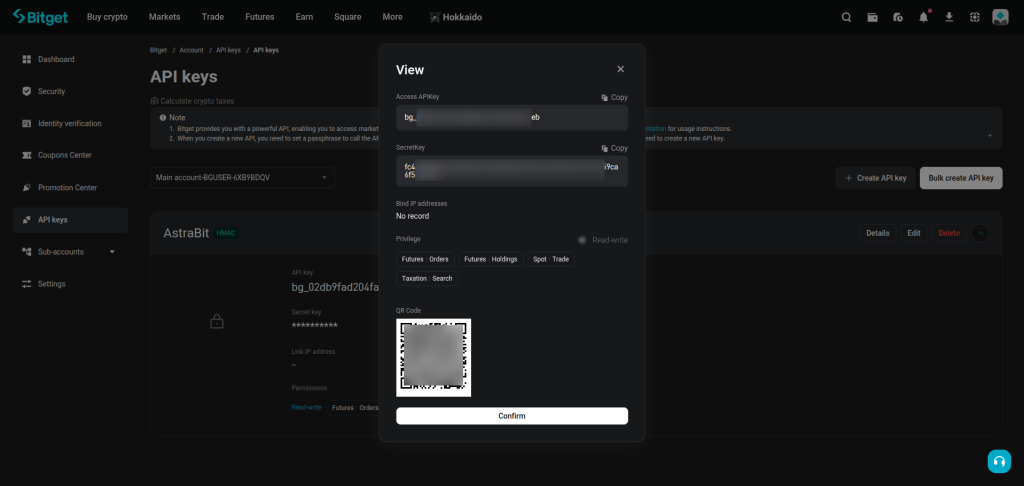
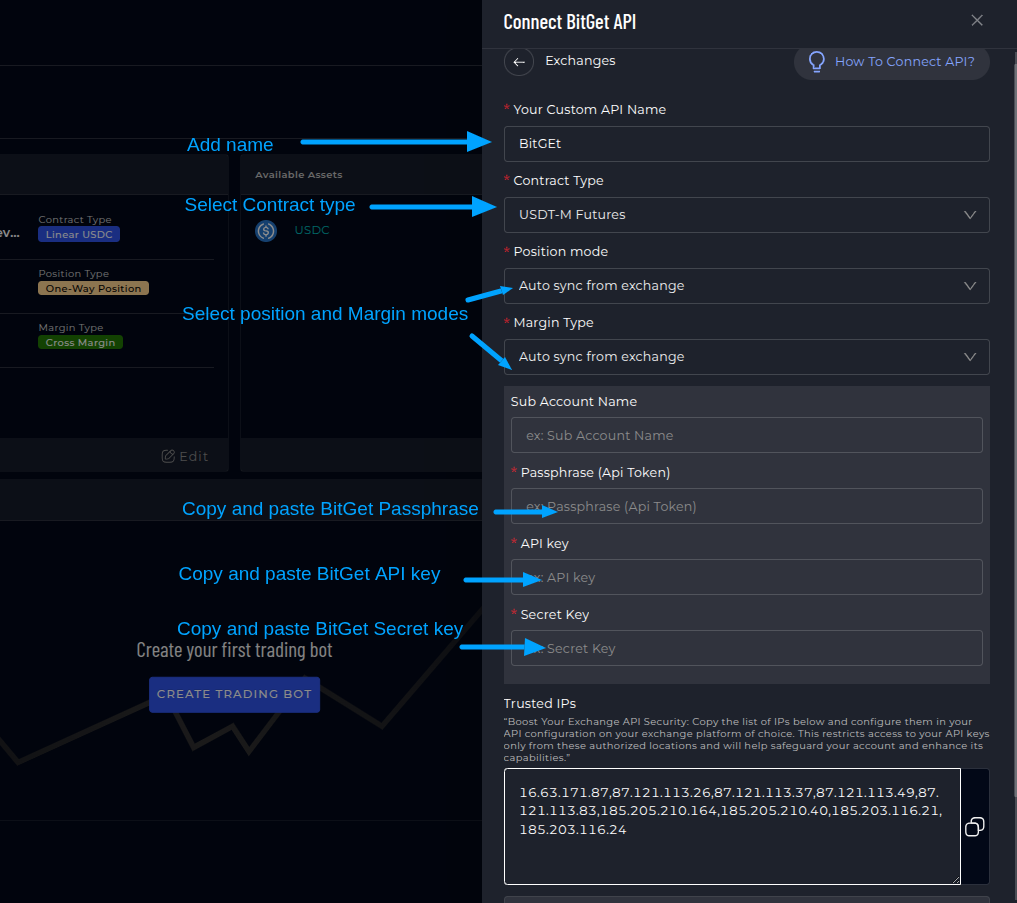
Step 7: Connect BitGet API to AstraBit
- Log in to AstraBit Nexus Dashboard
- Navigate to Exchanges → Connect Exchange → Bitget
Enter:
- API Name
- API Key
- Secret Key
- Passphrase
- Contract Type → USDT Futures (or applicable)
- Position Mode → Auto sync from exchange
- Margin Type → Auto sync from exchange
- Click Connect
- AstraBit: Can NOT withdraw funds.
- AstraBit: Can NOT transfer funds.
- AstraBit: ONLY executes trades via API permissions.