
Trading Bots & Strategies · Help Center
How to Pause or Stop a Trading Bot
Two different actions with two different outcomes: disabling signals pauses new trades (but billing continues), while deleting the bot removes it completely (and billing stops after the next period). Here’s how to do each — and exactly what happens after.
Important: neither action automatically closes open positions — manage those on your exchange.
Two Actions
Pause vs. Delete —
Know the Difference
Both start from the same place: the bot card’s 3-dot menu in the AstraBitTrade bot list.
Quick Comparison
- Disable Signals: no new trades, billing continues, resume anytime
- Delete Bot: removed completely, billing stops after the next period, cannot be restored
- Both: open positions stay active — manage them on your exchange
To stop being charged entirely, you must DELETE the bot — pausing alone doesn’t stop billing.
Option A · Pause (Disable Signals)
Disable Your Bot’s Signals
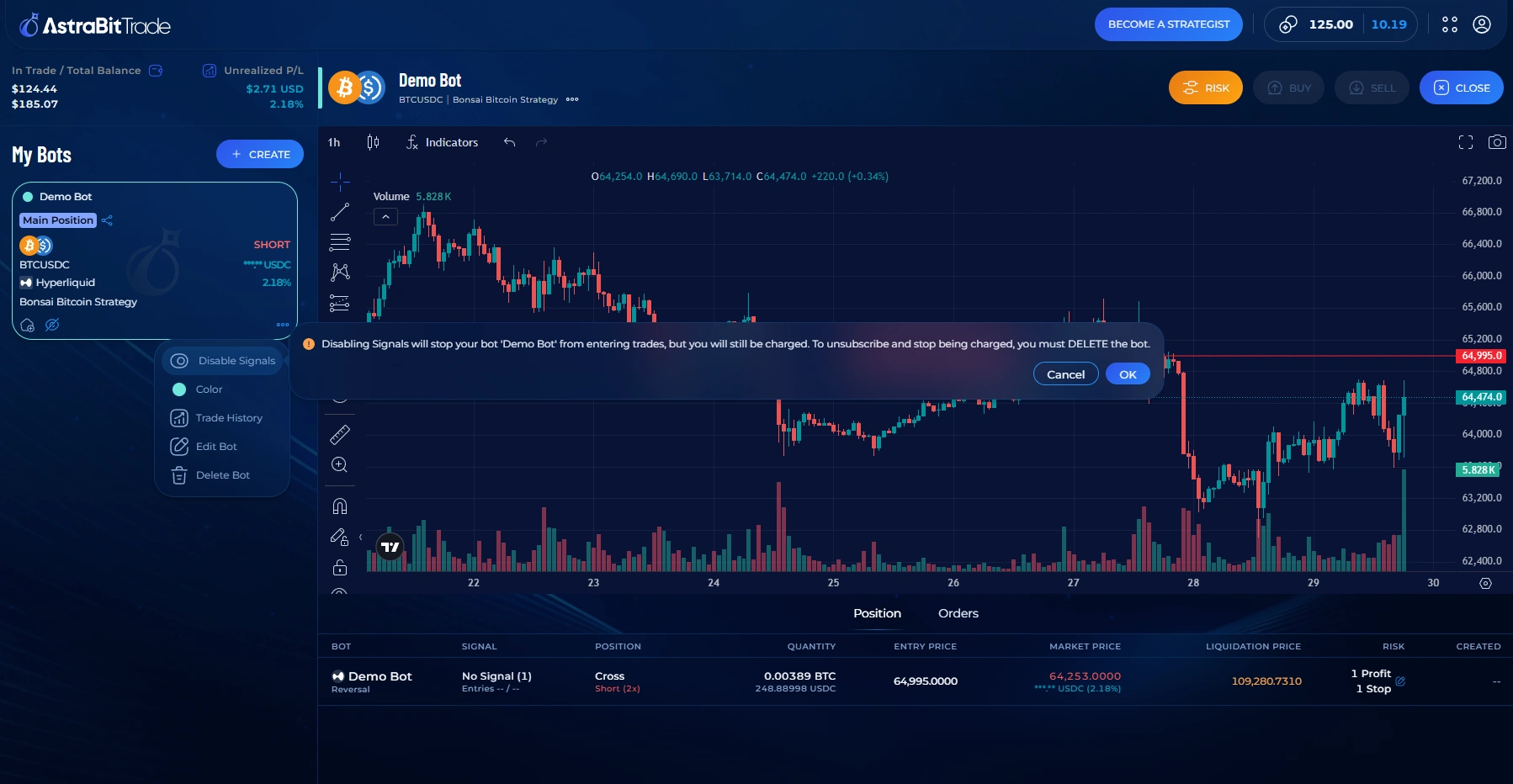
- Under the AstraBitTrade bot list, select the bot you wish to disable.
- Click the 3 dots in the lower right corner of the bot card.
- Select Disable Signals.
- Review the warning: “Disabling Signals will stop your bot ‘[Bot Name]’ from entering trades, but you will still be charged. To unsubscribe and stop being charged, you must DELETE the bot.”
Option B · Stop (Delete Bot)
Delete Your Bot
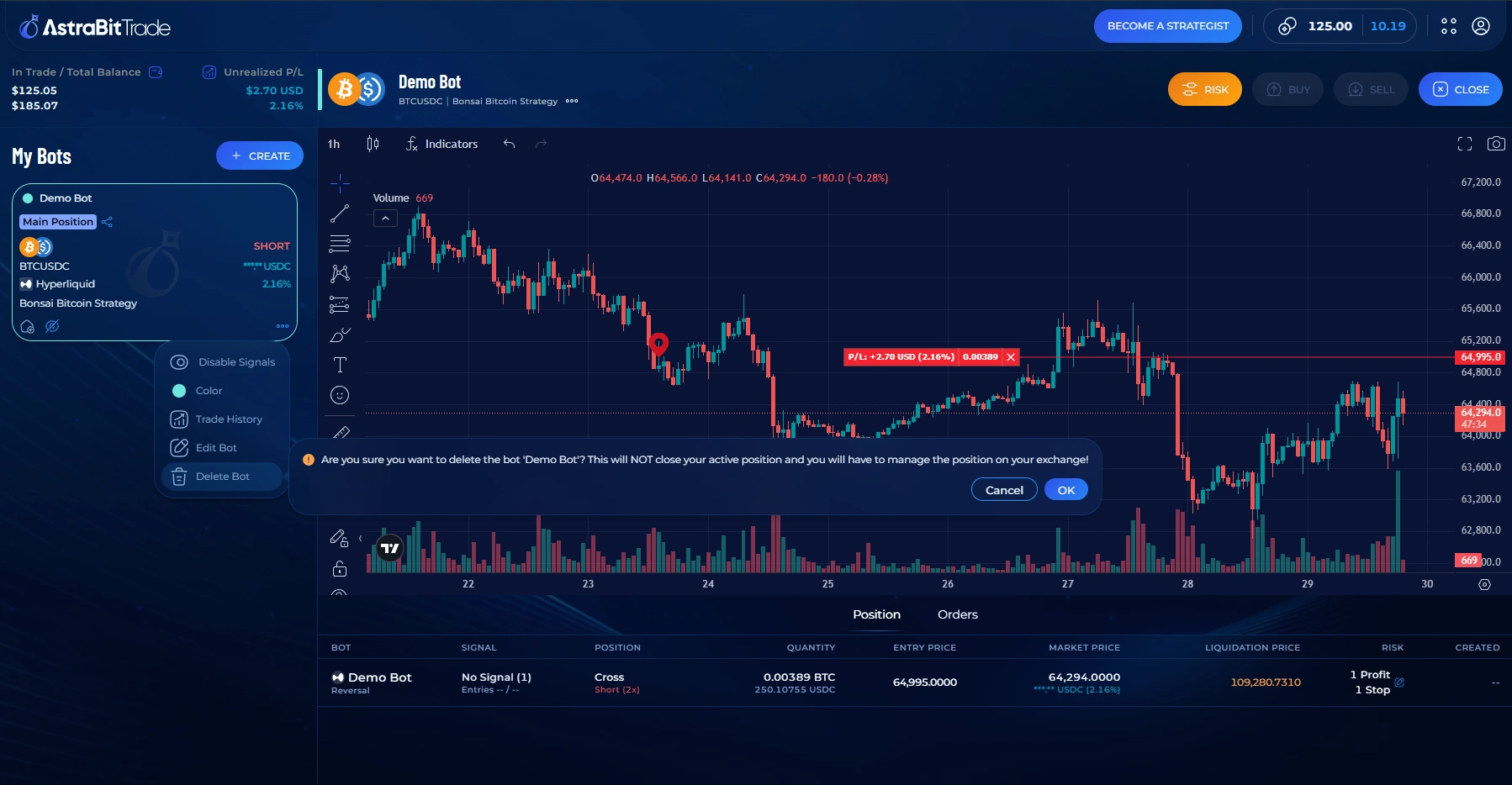
- Under the AstraBitTrade bot list, select the bot you wish to delete.
- Click the 3 dots in the lower right corner of the bot card.
- Select Delete Bot.
- Review the warning: “Are you sure you want to delete the bot ‘[Bot Name]’? This will NOT close your active position and you will have to manage the position on your exchange!”
Please note: your strategy is still available, but to start trading again you’ll need to set up a new bot. Trading history and PnL do not transfer to a new bot — even one using the same strategy. Find past bot history and trade performance in the Codex section.
Good to Know
What Happens After?
If You Pause a Bot
No new trades will be opened. Existing open positions remain active. You can resume the bot at any time — but billing continues while it’s paused.
If You Delete a Bot
No new trades will be opened, and open positions are not automatically closed — handle trades on the exchange. The bot configuration cannot be restored, but historical trade data remains accessible in the Codex section.
Related Articles
Before You Go
Mind Your Open Positions
Positions Stay Open
Neither pausing nor deleting closes active positions — manage them directly on your exchange.
Pausing ≠ Unsubscribing
A paused bot still bills. To stop charges entirely, you must delete the bot.
History Is Preserved
Trade history and performance stay accessible in the Codex section even after deletion.
Ready to start again?
Your strategy is still available — set up a new trading bot whenever you’re ready.
