
Trading Bots & Strategies · Help Center
How to Adjust Your Trading Bot Settings
Edit a running bot’s configuration — API, name, equity allocation, leverage, stop loss, and take profit — from either the AstraBitTrade screen or the Nexus Dashboard. Changes apply to future trades only.
Step-by-Step
Walk Through
the Edit Wizard
Open the Edit Bot wizard from the Trade screen or the Nexus Dashboard, then work through each setting and confirm. Changes apply to future trades only.
What You Can Edit
- API connection (add new or update info)
- Bot name
- Equity Allocation and Leverage
- Stop Loss — adjust or add one
- Take Profit — adjust or add additional levels
Take Profit level count depends on your trading bot tier.
Open the Edit Bot Wizard
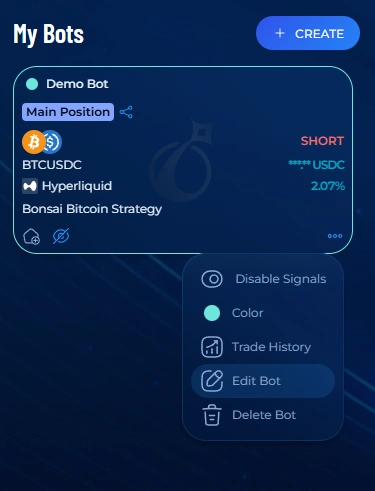
- Go to trade.astrabit.io or the Nexus Dashboard and find the trading bot you’d like to edit.
- Select the 3 dots in the lower-right corner of the bot, then choose Edit Bot.
- The Edit Bot wizard opens with your current settings.
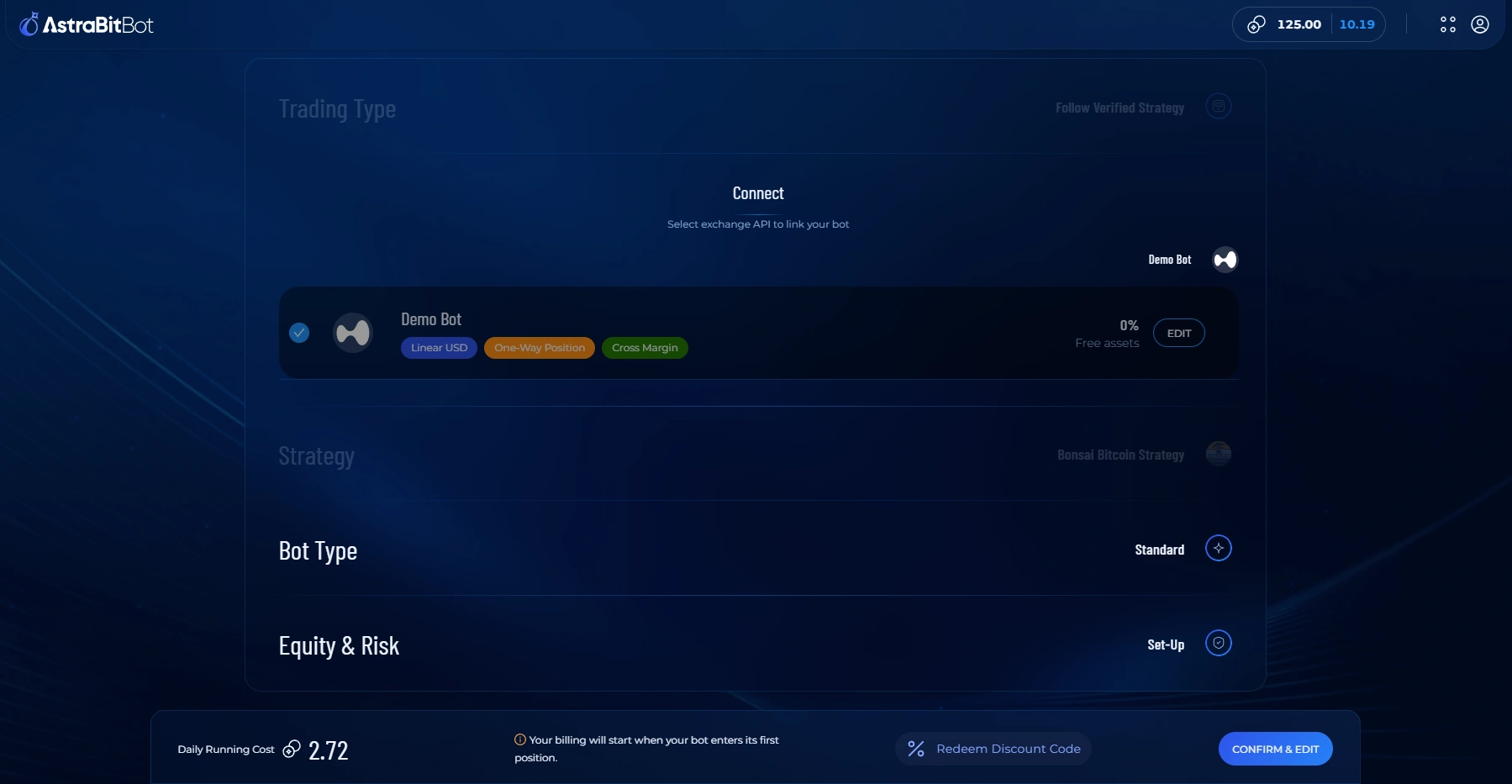
Update the API Connection
- If needed, add a new API connection or update the existing connection details for this bot.
- You can also rename the bot here.
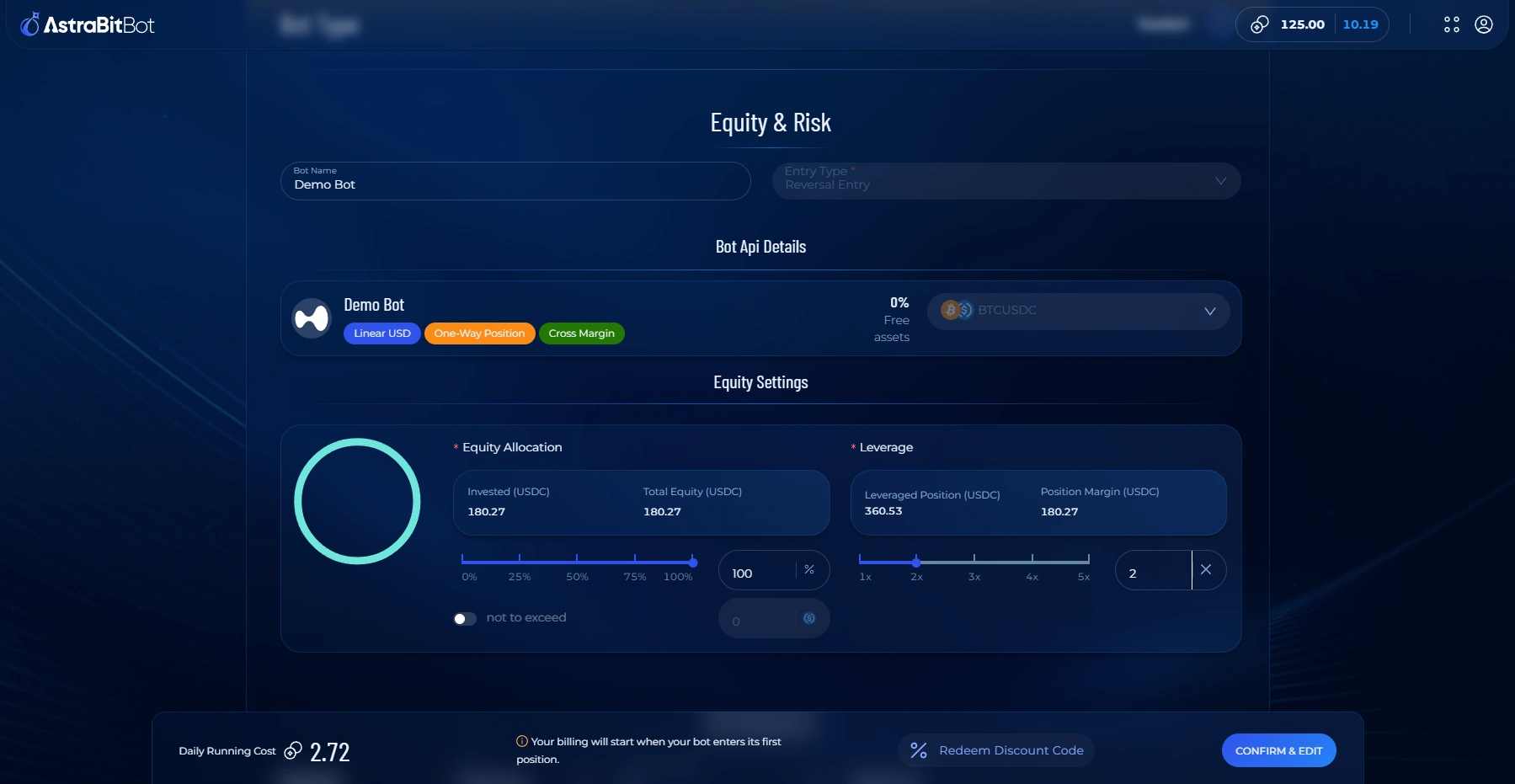
Adjust Equity Allocation & Leverage
- Set how much equity the bot allocates per trade.
- Adjust your Leverage to match your strategy and risk tolerance.
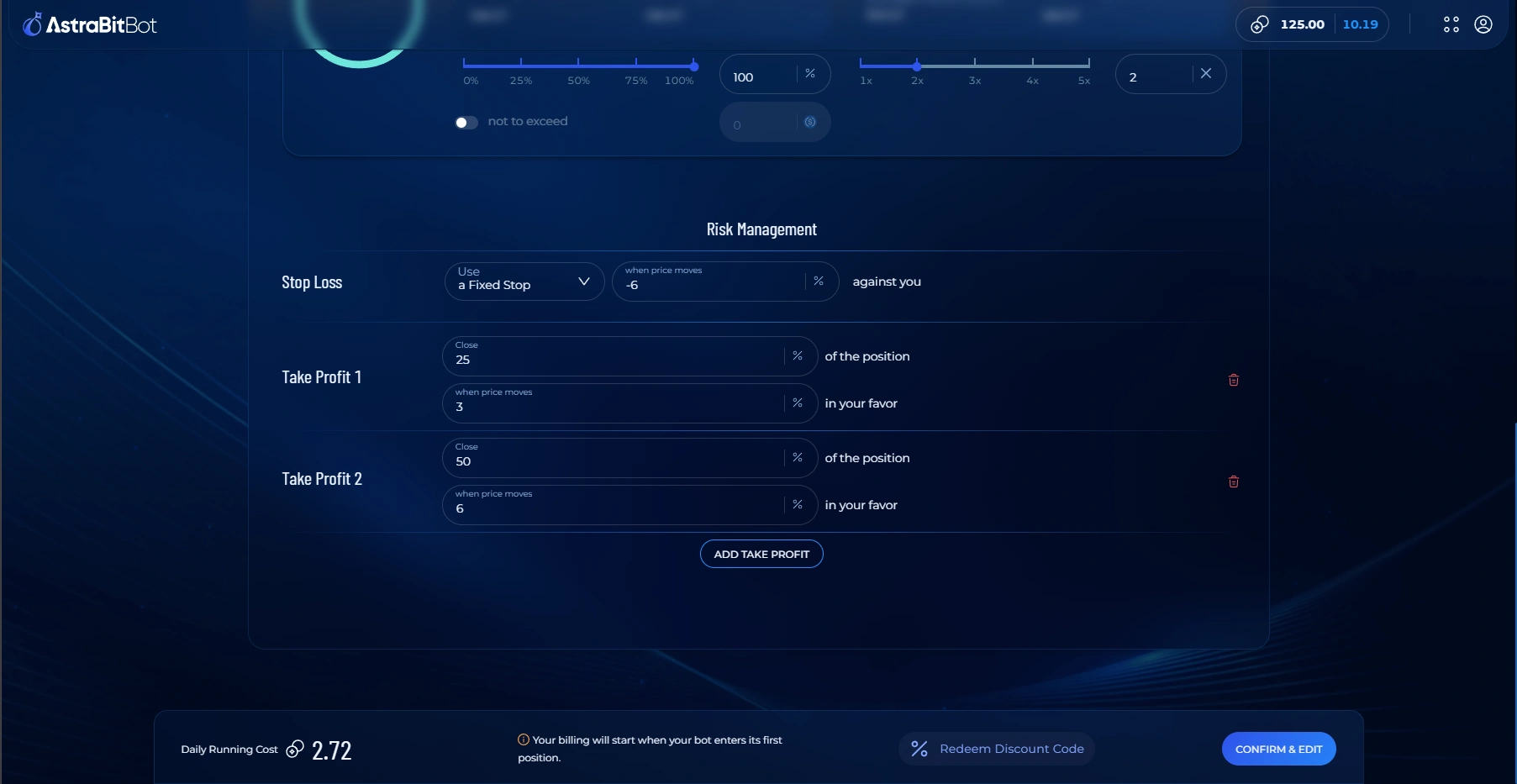
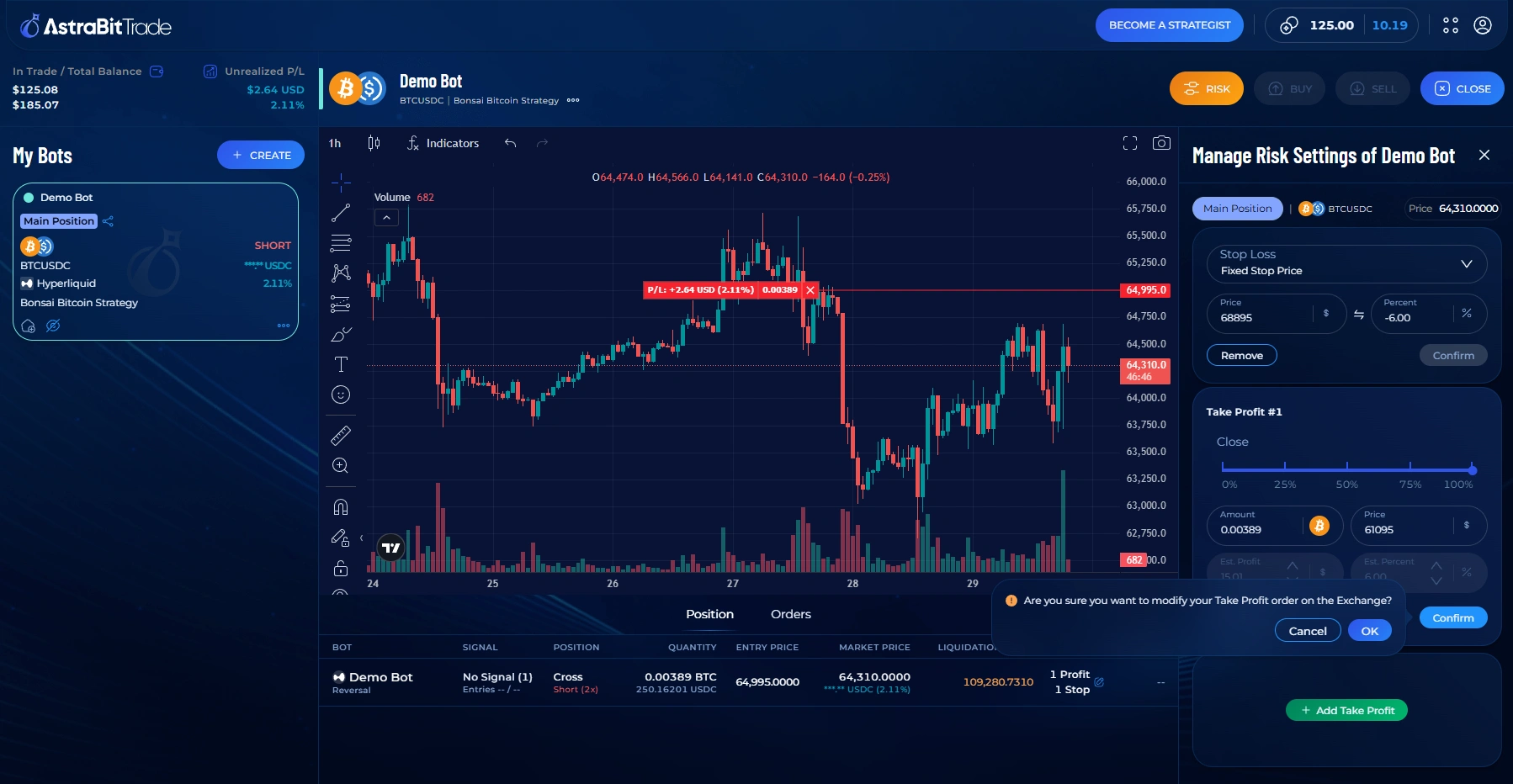
Adjust Stop Loss & Take Profit
- Adjust or add a Stop Loss.
- Adjust or add Take Profit levels — the number available depends on your trading bot tier.
Confirm & Review the Live Bot
- When your changes look right, click Confirm & Edit.
- Your updated risk and settings are applied to the bot for trades moving forward.
Good to Know
What Happens After You Adjust Settings?
FAQs
Frequently Asked Questions
Do changes to bot settings affect trades that are already open?
No. Updated bot settings apply to future trades only. Existing open positions are not automatically modified.
Can I adjust bot settings while a bot is running?
Yes. You can edit bot settings while a bot is running. Changes take effect after you save them and apply to new trades going forward.
Which bot settings can I adjust?
You can adjust settings such as equity allocation, leverage, and risk management options, depending on the bot configuration available in your dashboard.
What if the Edit Bot option doesn’t appear?
Confirm you are viewing the correct bot in the Trade section or Nexus Dashboard. Refresh the page and reopen the bot menu. If the option still does not appear, contact support.
How can I confirm my changes were saved?
After saving, reopen the bot settings to verify the updated values are displayed. You may also refresh the dashboard to confirm the latest settings are loaded.
Related Articles
Keep Tuning
Settings Are Never Set in Stone
Revisit your equity allocation, leverage, and risk management as market conditions and your strategy evolve.
Need help along the way?
If you experience any problems, contact support by email or submit a ticket through Discord.
