
Kraken Trading Bot. Margin Trading, On Your Terms.
Already trade on Kraken? AstraBit is trading automation software that connects to your existing Kraken account by API and executes the rules and signals you choose on Kraken Spot Margin Trading. Run marketplace strategies, connect your own signals, or trade manually, all from one dashboard. Your funds stay on Kraken.
- Free to sign up
- No coding required
- No withdrawal or transfer access
AstraBit is independent software and is not affiliated with Kraken. This integration uses Kraken Spot Margin Trading, and Kraken decides who is eligible for it based on its own rules and applicable regulations. For some U.S. users, Kraken may require self-certification as an Eligible Contract Participant (ECP) before margin trading is available. Trading on margin involves significant risk of loss.
What Kraken Requires
Margin eligibility comes first
- Product Spot Margin Trading
- Eligibility Decided by Kraken
- Some U.S. users ECP self-certification
- Account identifier Your BTC deposit address
- API permissions Query + order permissions
- Withdraw, deposit, admin Off
You create the key on Kraken and choose its permissions. AstraBit sends trade instructions only; it can’t withdraw or move your funds.
Kraken Trading Bot: Quick Facts
| What AstraBit is | Trading automation software, not an exchange |
| What Kraken is | Centralized exchange (CEX) |
| Custody | Non-custodial. Your funds stay in your Kraken account |
| Connection | API key with query, create, modify and cancel order permissions. Withdraw Funds stays off |
| Markets | Kraken Spot Margin Trading. You need to be eligible for margin on Kraken |
| Account identifier | AstraBit may use a BTC deposit address you generate on Kraken. It can’t deposit or withdraw with it |
| Suggested balance | About $50–$100+ in your margin wallet, so AstraBit can detect your balance |
| Ways to trade | Marketplace strategies, your own strategy or TradingView alerts, the manual dashboard, or copy trading |
| Bot price | From 0.33 credits ($0.33) a day, billed only after your bot’s first trade |
| Availability | Kraken decides margin eligibility. Some U.S. users may need to self-certify as an Eligible Contract Participant |
AstraBit Is the Software, Not the Exchange
This page is for people who already trade on Kraken and want to automate how they trade there. Here’s who handles what.
-
The exchange
Kraken
Holds your funds, verifies your identity, sets its own fees, and decides who is eligible for margin trading. Your account is with Kraken, not AstraBit.
-
The decision-maker
You
You decide whether to trade, which strategy or signals to run, and how much risk to take. You’re also responsible for confirming you’re allowed to use Kraken margin trading.
-
The software
AstraBit
Sends the trade instructions you’ve configured to your account through an API key you create. It can’t withdraw or transfer funds, and it doesn’t recommend that you trade on Kraken or any other exchange.
What Is a Kraken Trading Bot?
A Kraken trading bot is software that places and manages orders on your Kraken account automatically, following rules you define, so you don’t have to enter every order by hand. AstraBit’s Kraken integration uses Kraken Spot Margin Trading, so you need to be eligible for margin on Kraken to use it.
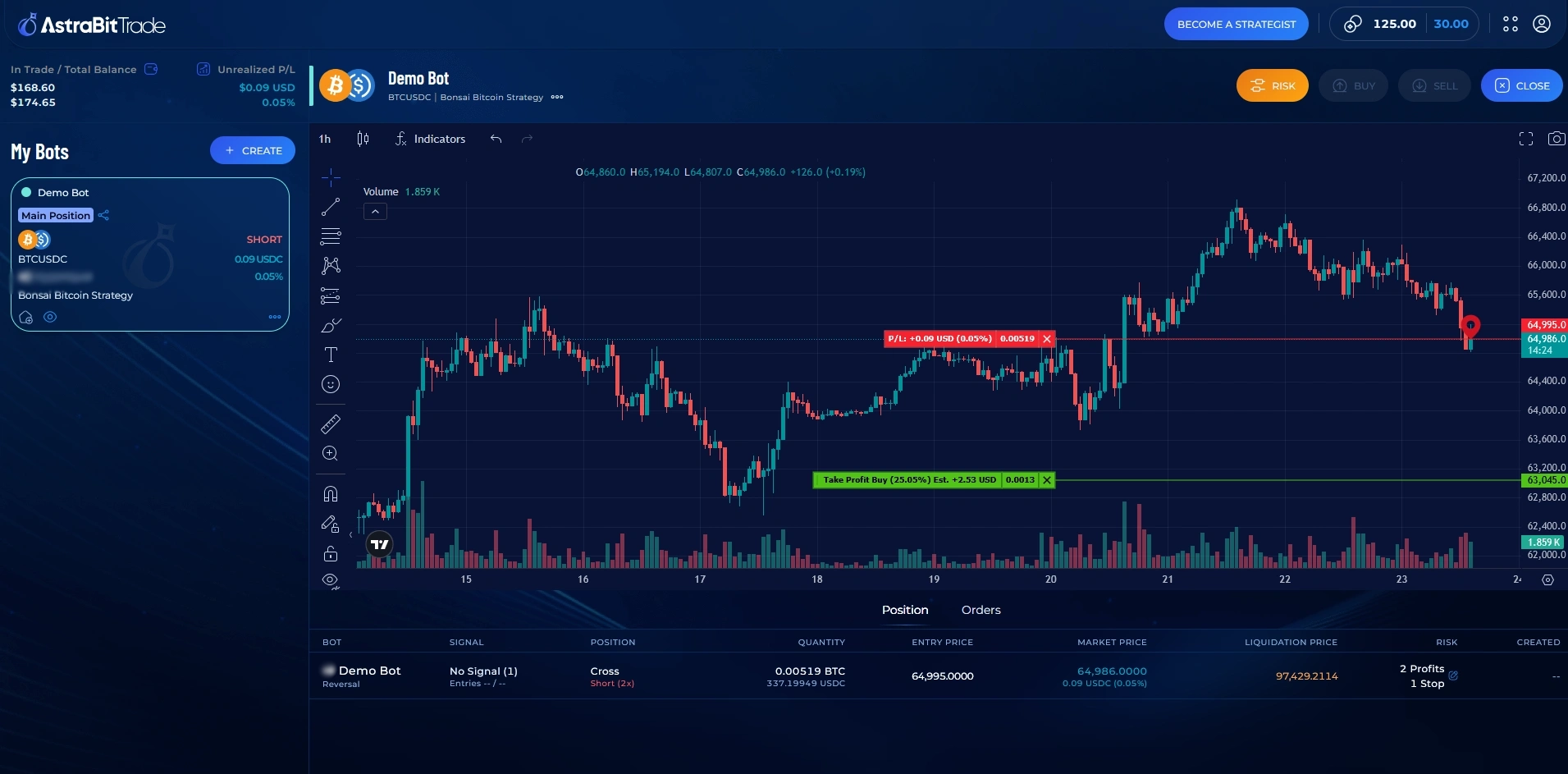
Your bot is one of AstraBit’s automated crypto trading bots and runs through an API key you create on Kraken. Your funds stay in your Kraken account, withdrawal permissions stay off on the key, and AstraBit only sends the trade instructions your settings call for. From the AstraBit dashboard, you monitor your positions, orders, and P&L.
What Are the Different Ways to Use AstraBit with Kraken?
One API connection, three ways to use it: automate a published strategy, bring a strategy you’ve already built, or place orders manually.
Marketplace Strategies
Choose a published Verified Strategy from the AstraBit Strategy Marketplace and link it to your Kraken bot. Its signals execute on your account automatically, with no coding required. Automation applies rules consistently; it doesn’t reduce the risk of the underlying trades.
Strategies are created by independent third-party Strategists. A listing is not a recommendation or endorsement, and results are not guaranteed.
Bring Your Own Strategy
Already have a system? Connect a custom strategy in any language or send TradingView alerts via webhook. AstraBit handles execution on your Kraken account.
Manual Trading Dashboard
Prefer to trade yourself? Open and close Kraken positions from the AstraBit dashboard, alongside your other connected exchange accounts, with charts, orders, and P&L in one place.
Running bots on other exchanges too? With copy trading, one Advanced bot acts as your Master and your other bots follow its trades, even on other exchanges. A Follower can only copy a pair its own exchange offers, and losses copy too.
How Do I Connect My Kraken Account to AstraBit?
If you’re already eligible for Kraken Spot Margin Trading, connecting takes three parts: generate a BTC deposit address, create an API key, and add both in AstraBit.
Kraken decides margin eligibility. For some U.S. users, that includes self-certifying as an Eligible Contract Participant (ECP); check your requirements in your Kraken dashboard or with Kraken Support before connecting.
Part 1 · Generate your BTC deposit address
-
Open Funding on Kraken
Log in to Kraken and go to Funding.
-
Select Bitcoin (BTC)
Find Bitcoin (BTC), or another supported asset, in the asset list and select it.
-
Generate and copy a deposit address
Click Generate New Address and copy it. Kraken doesn’t always give third-party tools a standard account ID, so AstraBit may use this address to identify your account.
Part 2 · Create your Kraken API key
-
Open API settings
Go to Security or API Settings.
-
Generate a new key
Click Generate New Key and give it a description, such as “AstraBit.”
-
Set the key’s permissions
Enable Query Funds, Query Open Orders, Query Closed Orders, Create/Modify Orders, and Cancel Orders, and turn the WebSocket Interface on. Leave Withdraw Funds, deposit, and account admin permissions off.
-
Save the key
Confirm your settings and generate the key.
-
Copy your credentials
Copy your API key and private (secret) key and store them securely. If they’re ever lost or exposed, generate a new key.
Part 3 · Connect in AstraBit
-
Add the key in AstraBit
In Nexus, go to Exchanges → Connect Exchange → Kraken and enter your API name, API key, secret key, and BTC deposit address (if requested). Then set up your first bot with our step-by-step guide: How to Create a Crypto Trading Bot.
Before You Connect
- Eligibility for Kraken Spot Margin Trading, as determined by Kraken
- For some U.S. users: ECP self-certification completed with Kraken
- A balance of roughly $50–$100+ in your margin wallet, so AstraBit can detect it and place orders reliably
- A BTC deposit address generated in Kraken Funding
Full Setup Guide with Screenshots
Our guide walks through every step, from generating your BTC deposit address to API permissions and connecting in Nexus, with screenshots and a final checklist.
Read the Connection GuideWhat Should You Know Before Using a Kraken Trading Bot?
A bot makes trading easier, but it doesn’t make it risk-free. Here’s what we’d want to know if we were in your shoes.
Check Your Eligibility First
Kraken decides who can trade on margin, based on its own rules and applicable regulations, and requirements differ by country. For some U.S. users, Kraken requires self-certification as an Eligible Contract Participant (ECP) first. AstraBit doesn’t decide your eligibility; confirm it with Kraken before you connect.
AstraBit Doesn’t Pick Your Trades
The software executes the strategy, signals, or manual orders you choose. It doesn’t advise you on what to trade, which exchange to use, or how much to risk.
Your BTC Address Identifies Your Account
Kraken doesn’t always provide a standard account ID for third-party integrations, so AstraBit may use a Kraken BTC deposit address you generate to identify your account. It’s an identifier only; AstraBit can’t deposit or withdraw with it.
Margin Works Both Ways
Margin trading uses borrowed funds, so gains and losses are magnified, and Kraken can close positions if your margin level falls too low. Trading on margin, automated or not, involves a significant risk of loss. A bot follows rules; it does not guarantee outcomes.
A Minimum Balance Helps the Connection
The connection guide recommends roughly $50–$100+ in your Kraken margin wallet so AstraBit can detect your balance and place orders reliably. This is a technical requirement, not a suggested amount to trade.
Kraken Is a Centralized Exchange
Kraken holds the assets in your account and requires identity verification, which works differently from on-chain venues where you hold your own keys. Learn what a centralized exchange is, or read our guide to centralized vs. decentralized exchanges.
How Do AstraBit Credits Work with Kraken?
There are no subscriptions on AstraBit. You pay for bots with AstraBit Credits at a daily rate, billed only after your bot’s first trade. Kraken isn’t one of AstraBit’s affiliated exchanges, so trading on Kraken doesn’t earn loyalty credits, and AstraBit doesn’t receive referral commissions from Kraken. You can buy credits directly, or use credits earned elsewhere in the Freemium + Loyalty Program.
-
Create your AstraBit account
Registration is free, and completing onboarding tasks can earn credits. Here’s how.
-
Add credits
Buy credits with crypto or fiat. 1 Credit = $1 USD.
-
Pay your bot’s daily rate
Daily charges come out of your credit balance, starting the day after your bot’s first trade.
Auto Top-Up (optional): If you turn it on, AstraBit will automatically charge your saved payment method whenever your credit balance falls below a threshold you choose (from $5 to $100). You also choose the top-up amount, with a $25 minimum per top-up. Charges continue each time your balance drops below that threshold until you turn Auto Top-Up off under Billing & Subscriptions. To stop all charges, delete your bots and turn off Auto Top-Up.
Credits are not cash, have no cash value, and are not transferable. Credits do not expire but are non-refundable and are forfeited if your account is closed. See the full program terms.
What Does AstraBit’s Trading Bot Software Cost?
Each bot has a simple daily rate, paid in Credits. You’re only billed for days after your bot’s first trade. These prices cover AstraBit’s software only; Kraken’s trading fees are charged separately by Kraken.
Basic Bot
Entry-level automation
- Connect to any supported exchange
- Copy trading & signals from strategies or your own Master bot
- Fixed or percentage stop loss
- Up to 2 take-profit levels
- Up to 4 DCA steps
Standard Bot
Basic + leverage and more controls
- Everything in Basic
- Leverage settingsLeverage magnifies both gains and losses; positions can be liquidated quickly.
- Fixed and trailing stop losses
- Up to 5 take-profit levels & 8 DCA steps
- One-click manual trading
- Connect your own strategies
Advanced Bot
Standard + advanced risk tools
- Everything in Standard
- Hedging & AstraBit Stop LossThese tools can reduce risk but don’t eliminate it.
- Lead copy trading as your Master bot
- Up to 10 take-profit levels & 15 DCA steps
- Send signals to any bot to copy
- Religious law settings
- Fully interactive chart
Nexus Bot
Not currently available. Features and pricing subject to change.
- Everything in Advanced
- Unlimited trade triggers
- Central command bot for all others
- Master Trader bot
Example: 30 billable days
| Bot tier | Daily rate | 30-day example |
|---|---|---|
| Basic | 0.33 credits | 9.90 credits |
| Standard | 0.66 credits | 19.80 credits |
| Advanced | 1.33 credits | 39.90 credits |
Illustrative calculation before eligible credits or discounts. Actual charges depend on billable days and applicable terms. Exchange trading fees are not included. 1 Credit = $1 USD; pay with crypto or fiat. Full comparison on the pricing page.
Already on Kraken? Automate It with AstraBit.
Here’s what happens after you sign up:
AstraBit provides trading automation software and is not affiliated with Kraken. Nothing on this page is a recommendation to trade on margin or to use any particular exchange, and AstraBit does not provide investment advice. Kraken decides who can trade on margin, and for some U.S. users that requires self-certification as an Eligible Contract Participant (ECP). Not all exchanges AstraBit supports are available in every jurisdiction. You’re responsible for making sure your use of any connected exchange is permitted where you live. Trading on margin involves a significant risk of loss and may not be suitable for all investors. Leverage magnifies both gains and losses. Automation does not assure profits or protect against losses. Past performance of any strategy is not indicative of future results. AstraBit doesn’t receive referral commissions from Kraken; it does from some other exchanges it supports. See program terms. Credits are not cash and have no cash value.
Kraken Trading Bot Questions
What is a Kraken trading bot?
A Kraken trading bot is software that places and manages orders on your Kraken account automatically, based on rules you define. AstraBit’s Kraken integration uses Kraken Spot Margin Trading and connects through an API key you create. It can follow a marketplace strategy or run a strategy you’ve built yourself, and you can also place manual orders from the AstraBit dashboard.
Is AstraBit part of Kraken?
No. AstraBit is independent trading automation software and is not affiliated with Kraken. Kraken is a separate centralized exchange that holds your funds and sets its own eligibility rules and fees. AstraBit connects to your account by API and executes the instructions you configure. It doesn’t recommend that you trade on Kraken or any other exchange.
Can U.S. residents use AstraBit with Kraken?
It depends on Kraken. AstraBit’s Kraken integration uses Kraken Spot Margin Trading, and Kraken decides who is eligible for it. For some U.S. users, Kraken requires self-certification as an Eligible Contract Participant (ECP) before margin trading becomes available. Check your eligibility with Kraken before connecting.
Does AstraBit hold my Kraken funds?
No. Your funds stay in your Kraken account at all times. AstraBit connects through API permissions that allow querying and placing orders only, and withdrawal, deposit, and account admin permissions stay off on the key.
Why does AstraBit ask for a Kraken BTC deposit address?
Kraken doesn’t always provide a standard account ID for third-party integrations, so AstraBit may use a BTC deposit address you generate on Kraken to identify your account. It’s used as an identifier only.
How does AstraBit connect to Kraken?
Through an API key. In Kraken, generate a BTC deposit address under Funding, then create an API key with query and order permissions and the WebSocket Interface on, leaving withdrawal, deposit, and admin permissions off. Enter the API key, secret key, and deposit address in AstraBit’s Nexus dashboard under Exchanges → Connect Exchange → Kraken. The step-by-step guide covers the full setup with screenshots.
What do I need before connecting Kraken to AstraBit?
Eligibility for Kraken Spot Margin Trading (including ECP self-certification, if Kraken requires it for you), a BTC deposit address, and an API key with query and order permissions. The connection guide recommends roughly $50–$100+ in your margin wallet so AstraBit can detect your balance and place orders reliably.
How much does a Kraken trading bot cost on AstraBit?
Opening an account is free. Bots are paid for with AstraBit Credits (1 credit = $1 USD) at a daily rate, and billing only begins after your bot executes its first trade. Daily rates are 0.33 credits for Basic, 0.66 for Standard, and 1.33 for Advanced, or about 9.90 to 39.90 credits over 30 billable days. A Nexus tier is in development; its planned rate (1.99) and features may change. These prices cover AstraBit’s software only; Kraken charges its own trading fees. Kraken isn’t one of AstraBit’s affiliated exchanges, so trading on Kraken doesn’t earn loyalty credits. See the Freemium + Loyalty Program for details.
Can I use my own strategy or TradingView alerts?
Yes. You can connect a custom strategy coded in any language, or send signals from TradingView to AstraBit via webhook. AstraBit receives the signal and executes on your connected Kraken account. See how to connect a custom strategy.
Is AstraBit a regulated company?
AstraBit operates as CPT Capital, LLC, a U.S. broker-dealer registered with the SEC and a member of FINRA (CRD# 331540). You can verify our registration at FINRA BrokerCheck. Note: not all AstraBit services are broker-dealer services regulated by the SEC or FINRA.
Other Exchange Integrations
AstraBit’s software connects to these exchanges the same way.
Not every exchange is available in every jurisdiction, including the U.S. Check each exchange’s terms before connecting.
