
Exchange Connections · Help Center
Connect OKX to AstraBit
Connect your OKX account to AstraBit for automated trading. This guide covers account requirements, required trading settings, API key creation, and where everything goes in AstraBit — three parts, eight steps.
Technical setup guide only; not trading advice.
Before You Begin
What to Check First
Confirm your OKX trading settings before creating your API. Incorrect margin or position settings may prevent trades from executing properly in AstraBit.
Derivatives, Not Spot
You’ll be trading USDT Perpetuals or Inverse Perpetual Contracts from an OKX derivatives account.
Fund Before You Connect
Keep a minimum balance of $50–$100+ USDT in your OKX trading wallet (or equivalent value in supported assets such as BTC, ETH, XRP).
Settings Must Match
AstraBit requires Single-currency margin account mode and One-way position mode. Incorrect configuration may result in failed or inconsistent trade execution.
Least-Privilege API
Your API key only needs Read and Trade access. Withdrawal and transfer permissions stay disabled — AstraBit never needs them.
Step-by-Step Setup
Three Parts,
Eight Steps
Configure your OKX account settings, create your API key, and connect it in AstraBit.
Required OKX Configuration
- Account Mode: Single-currency margin
- Position Mode: One-way mode
- Derivatives account with USDT or inverse perpetuals
- Minimum balance: $50–$100+ USDT (or equivalent)
Set these in OKX before creating your API key — wrong settings can block trade execution.
Part 1 · Configure OKX Account Settings
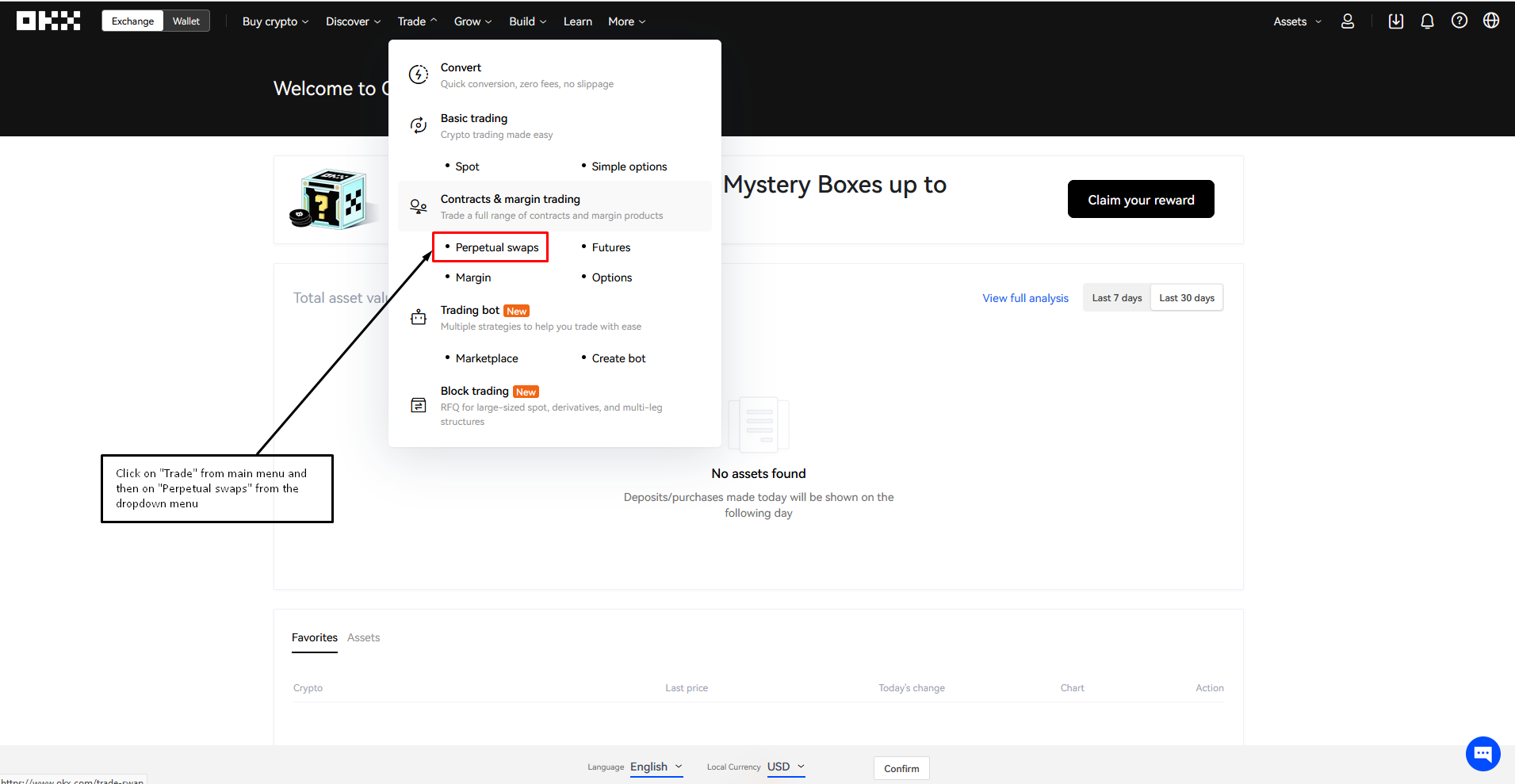
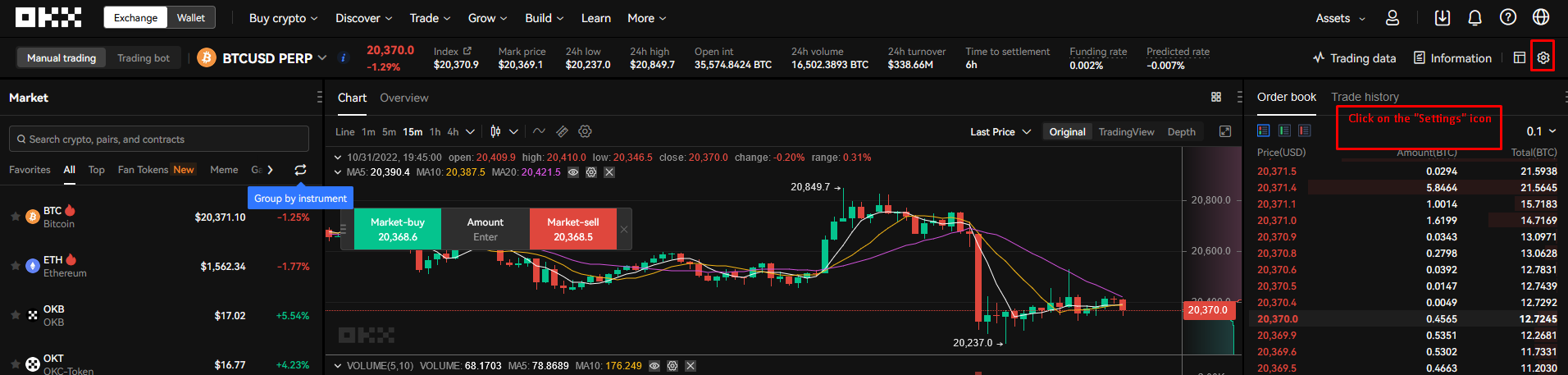
Access Trading Settings
- Log in to your OKX account.
- Navigate to your Trading Dashboard.
- Open Settings.
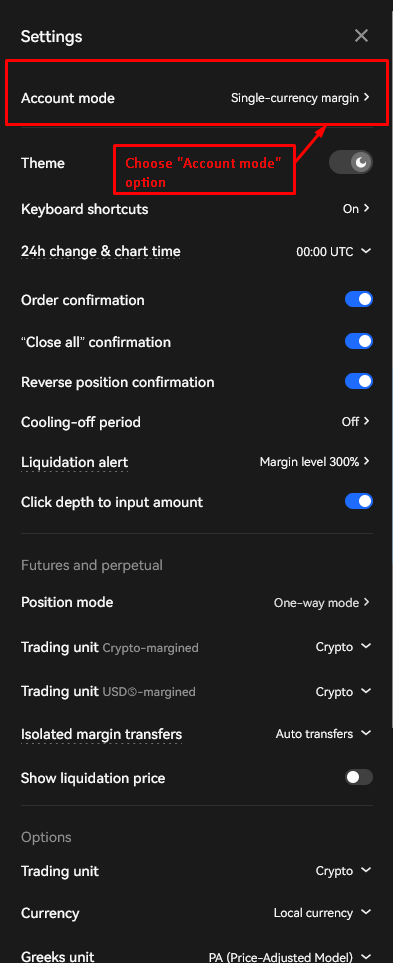
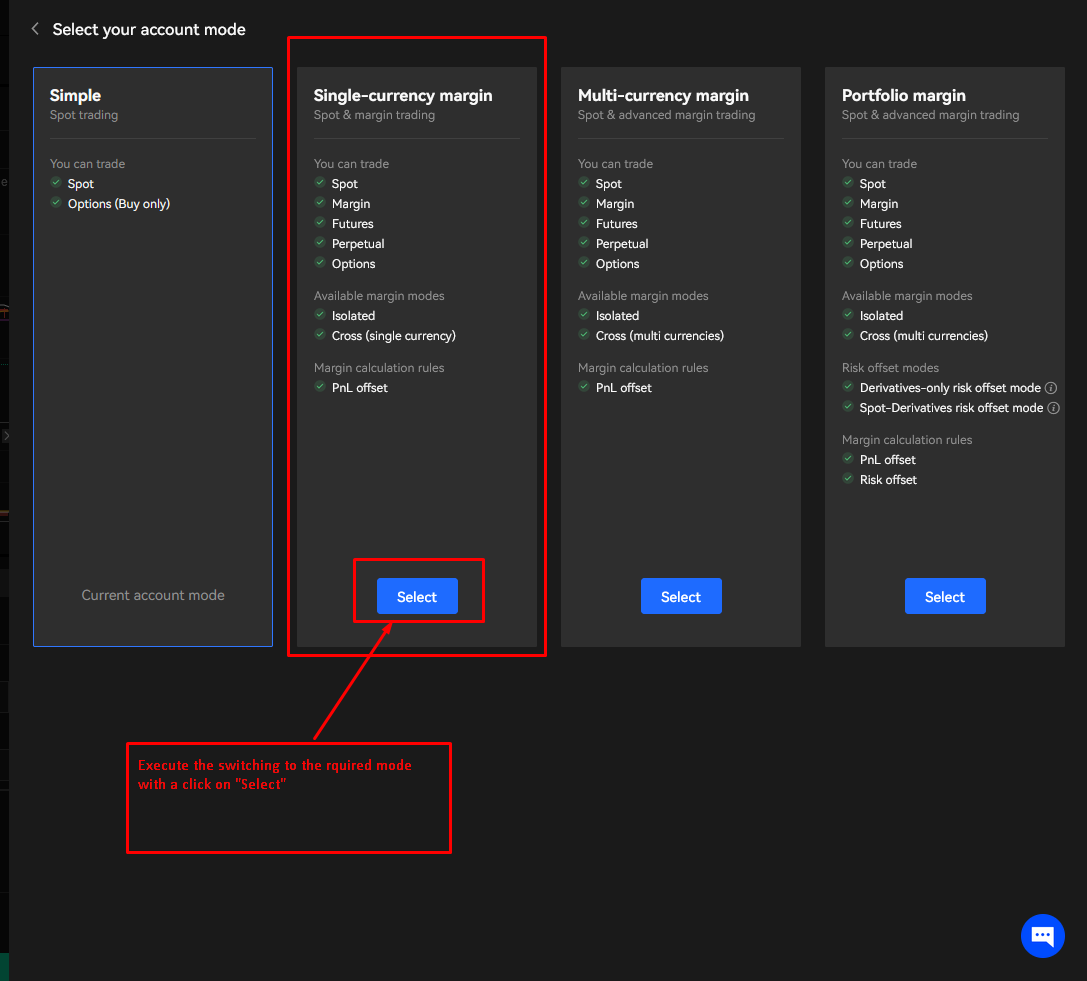
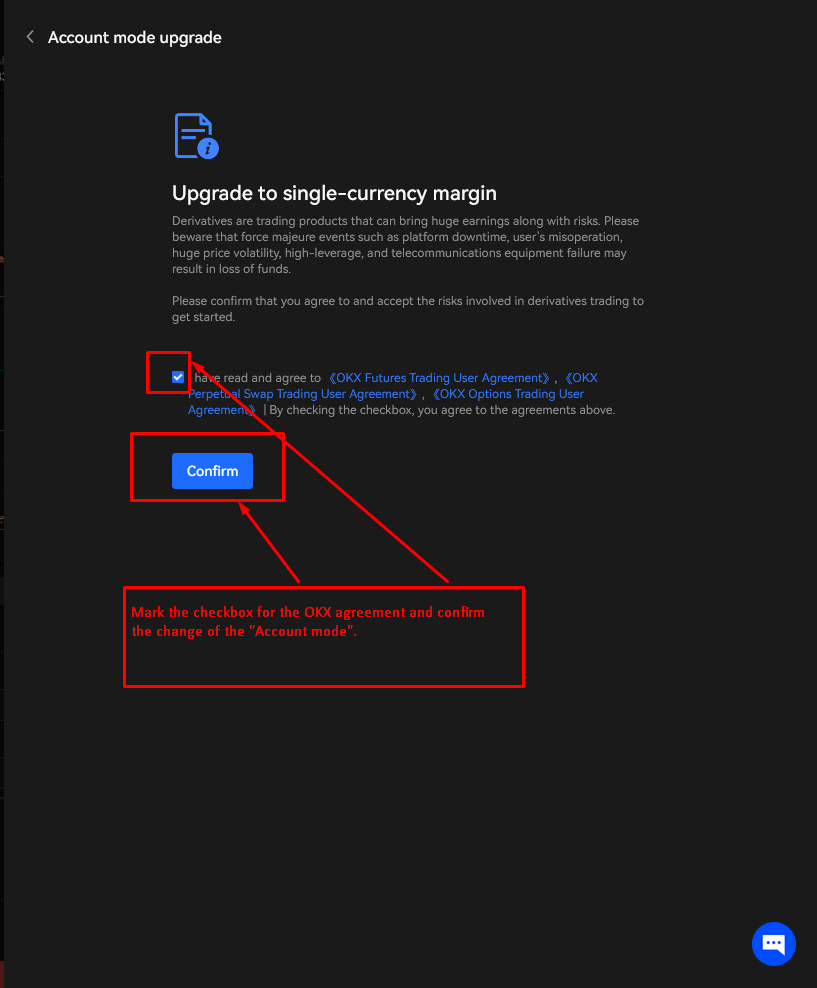
Set Account Mode
- Locate Account Mode.
- Select Single-currency margin.
- Confirm the OKX agreement to change the account mode.
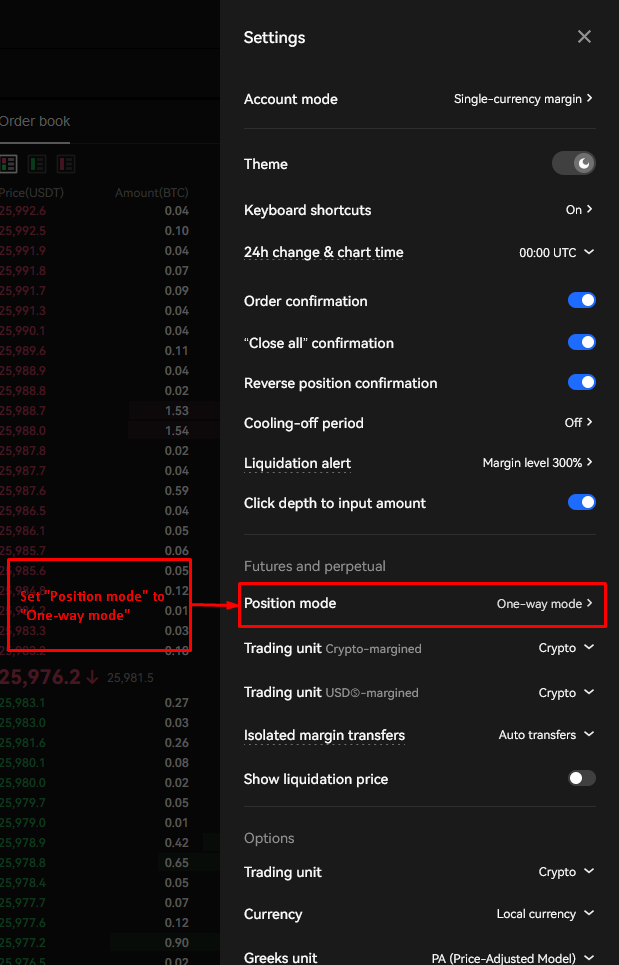
Set Position Mode
- Locate Position Mode.
- Select One-way mode.
These settings must match AstraBit requirements. Incorrect configuration may result in failed or inconsistent trade execution.
Part 2 · Create OKX API Keys
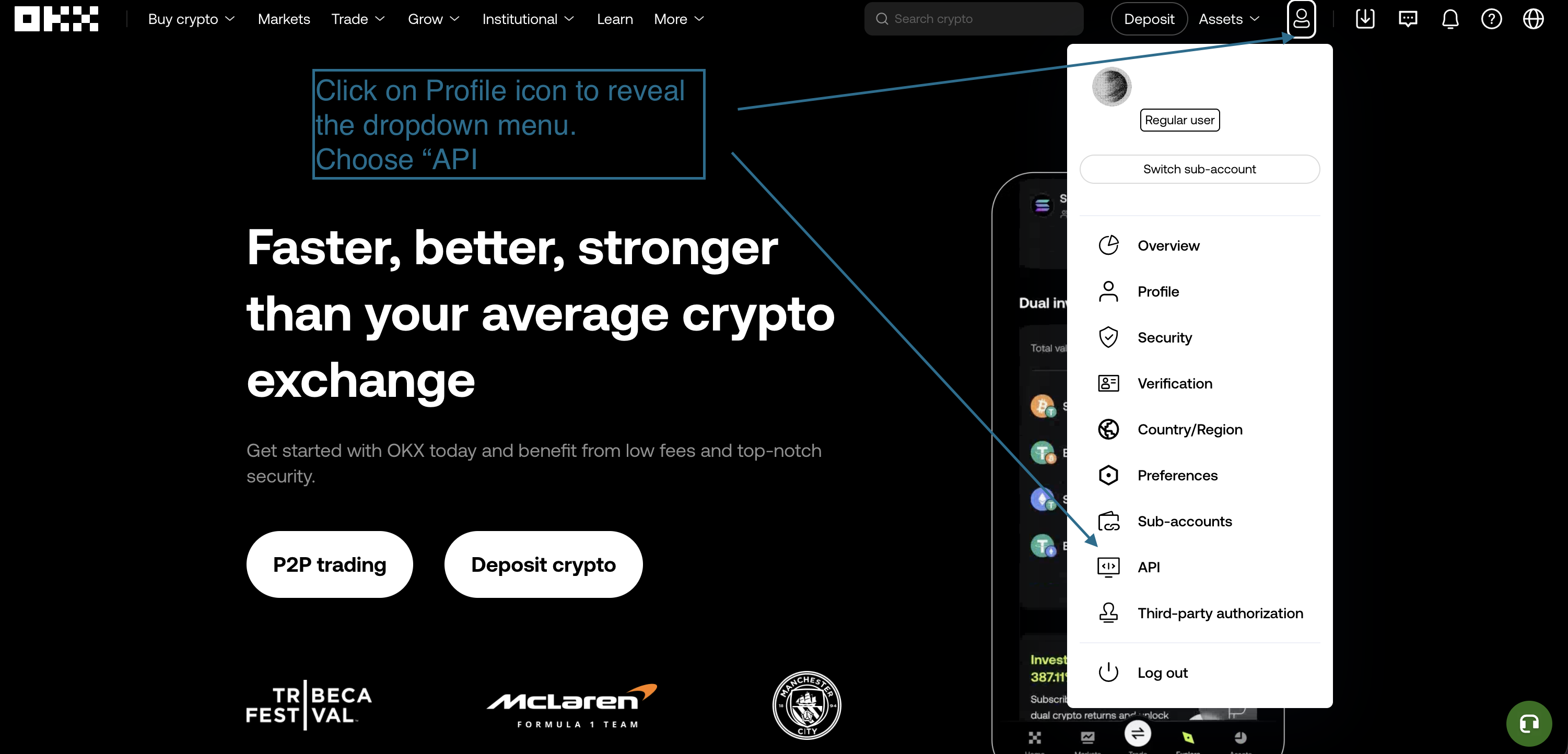
Open API Management
- Log in to your OKX account and view the Dashboard.
- Navigate to Profile → API Management.
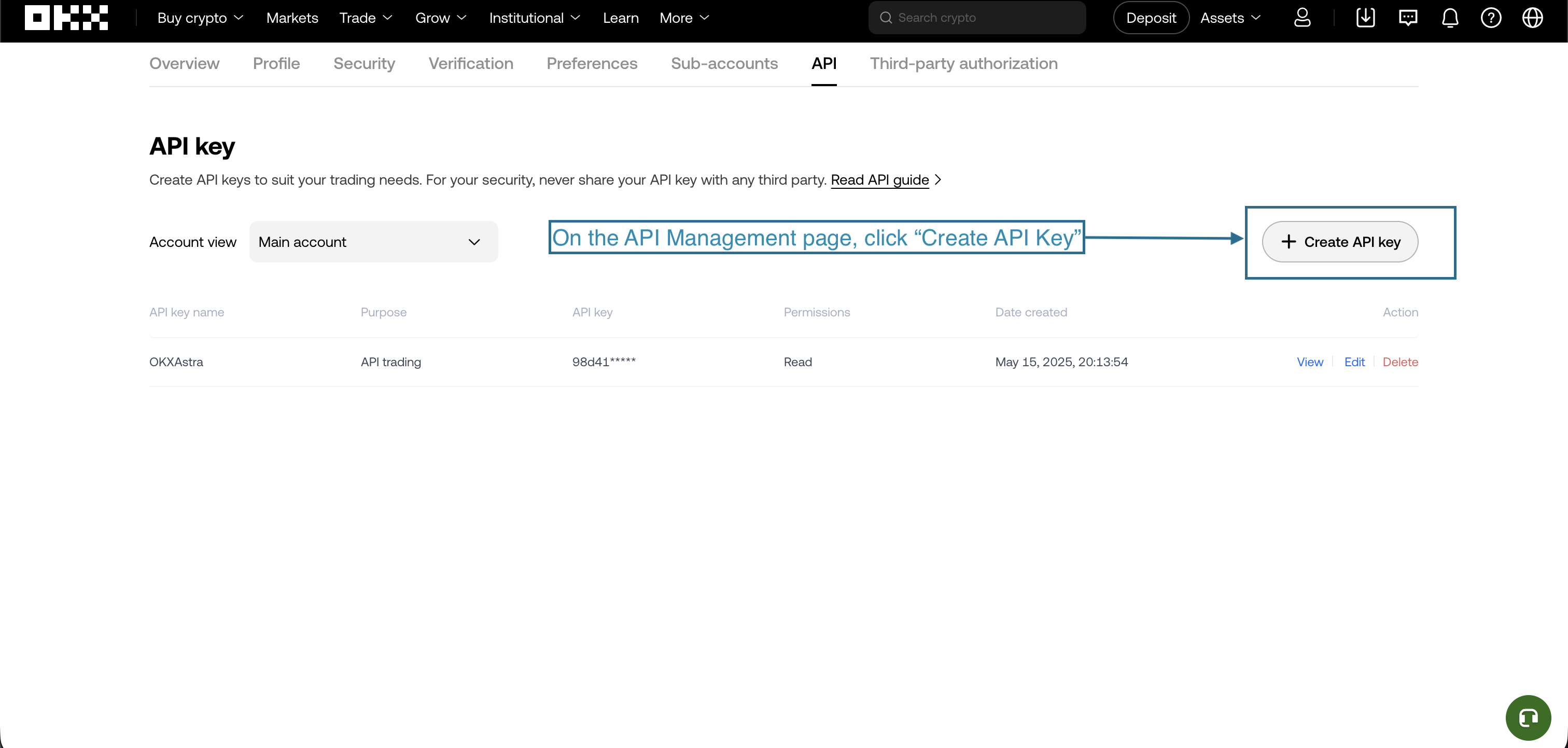
Create New API Key
- Click Create API Key.
- Name the API (example: AstraBit Trading).
Configure API Permissions
Enable only the permissions required for AstraBit — it never needs withdrawal access.
✓ Enable
- Read Access
- Trade Access
✕ Disable
- Withdraw Access
- Account Transfer Permissions
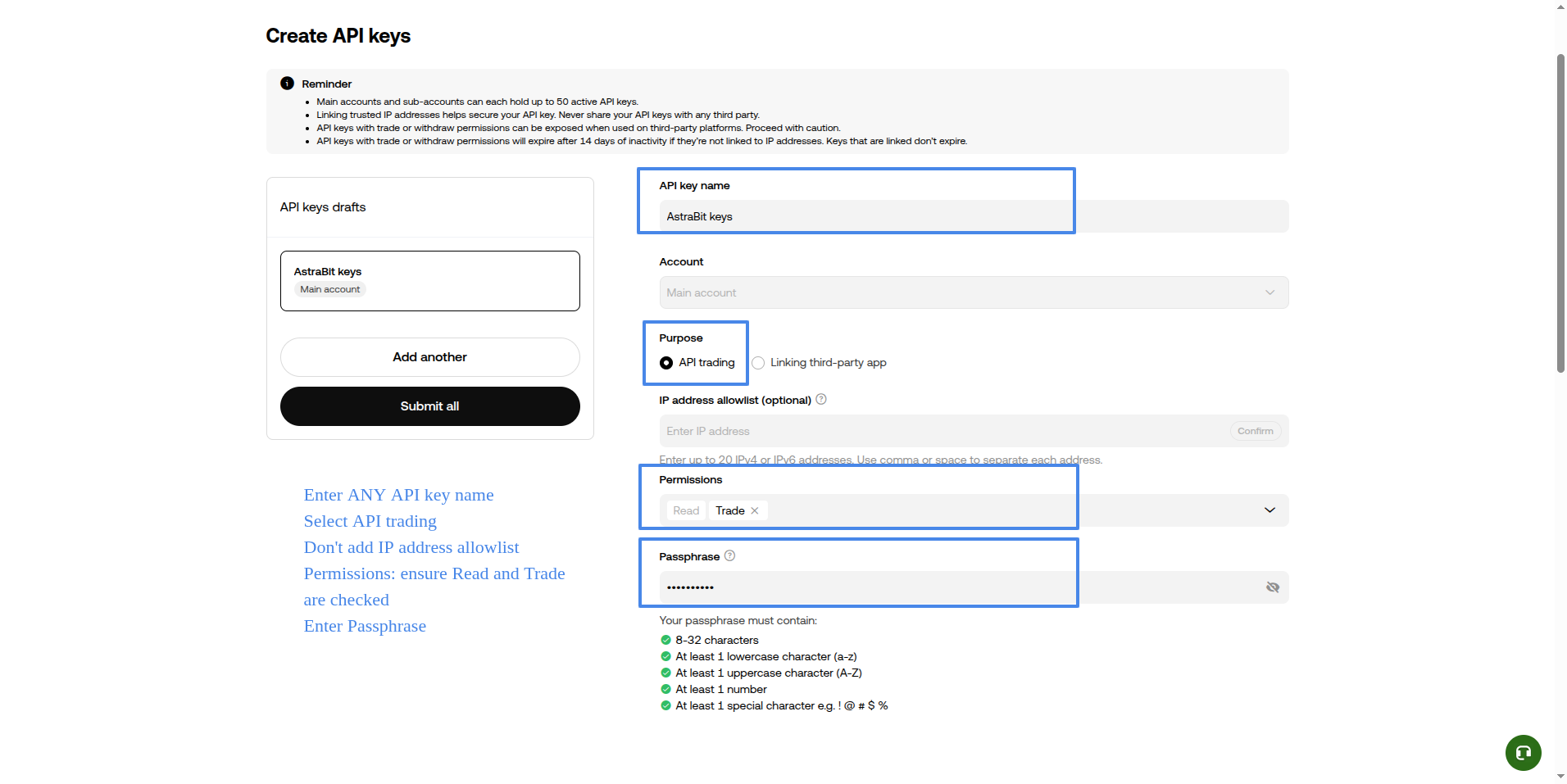
Set Security Controls
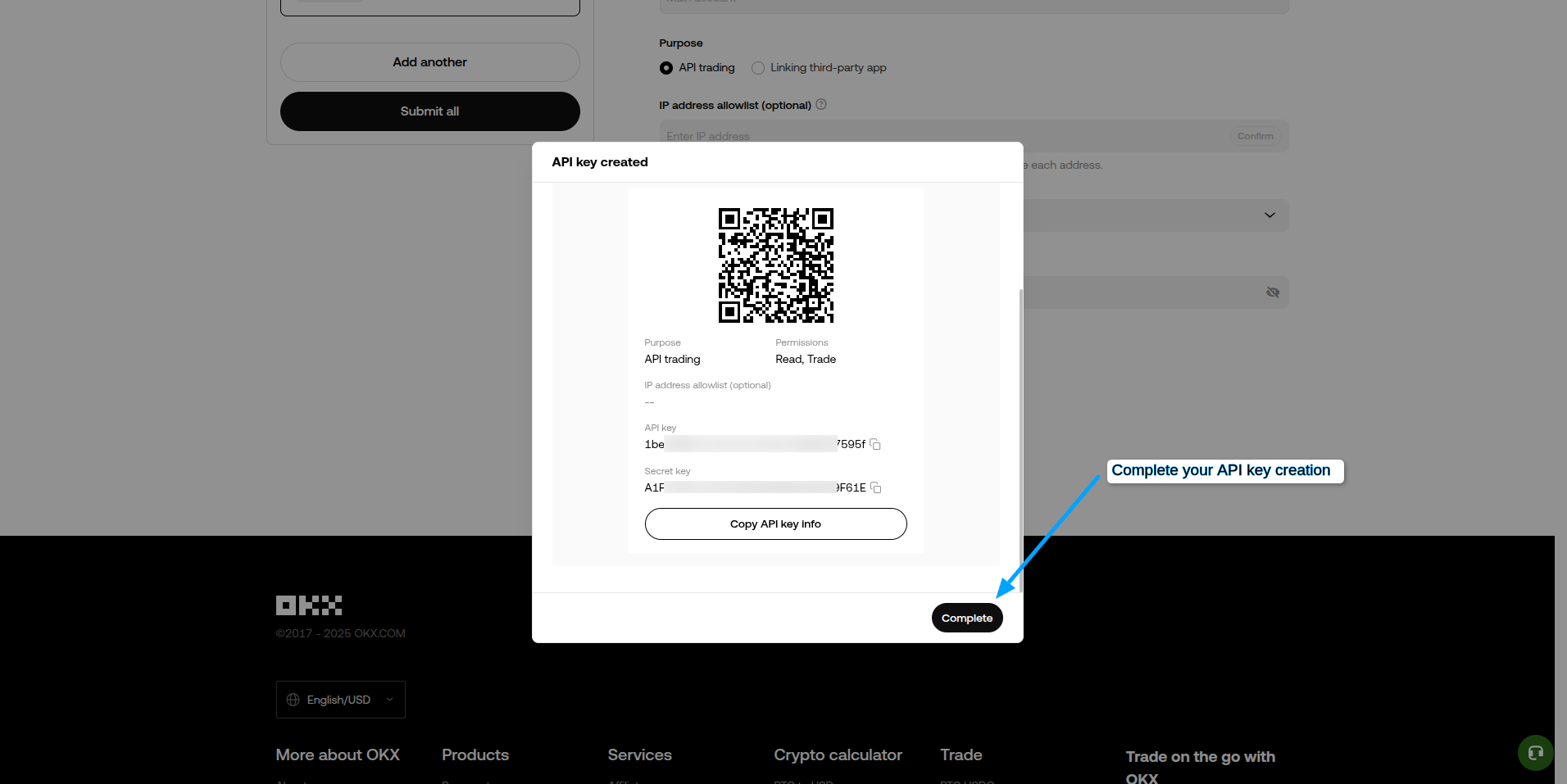
- Set a strong Passphrase.
- Configure an IP whitelist (recommended for added security).
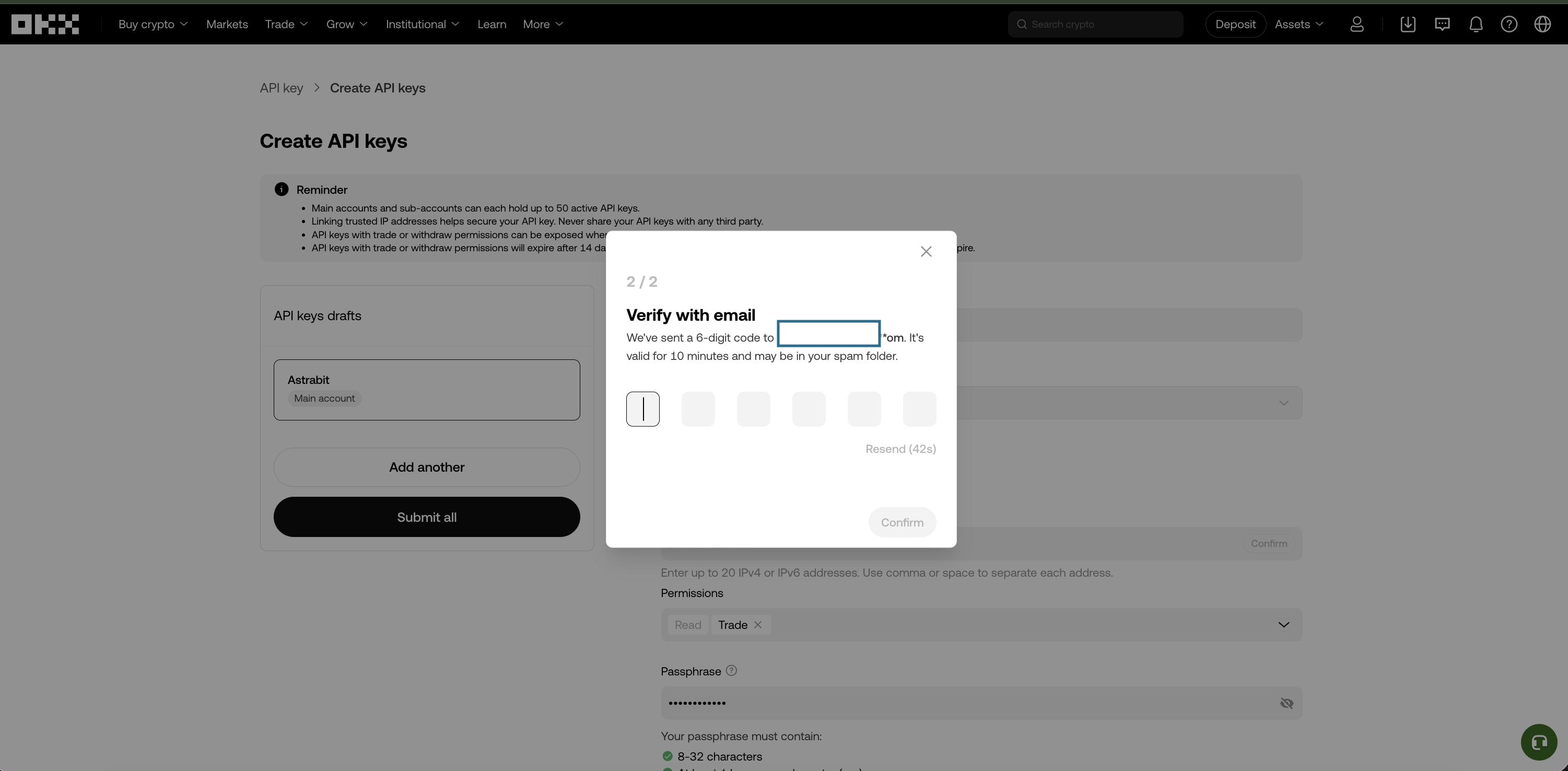
- Complete verification (2FA, email, etc.).
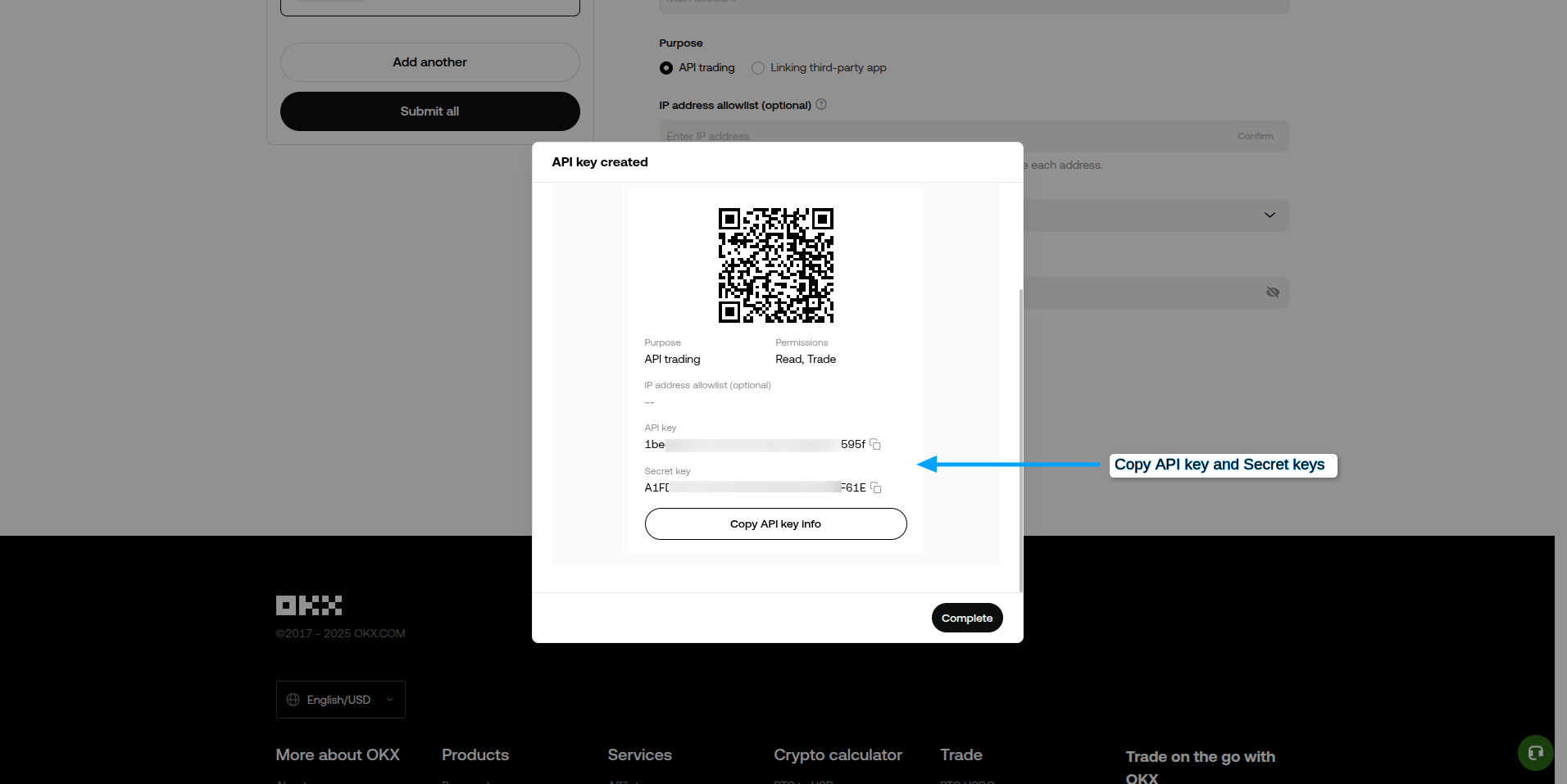
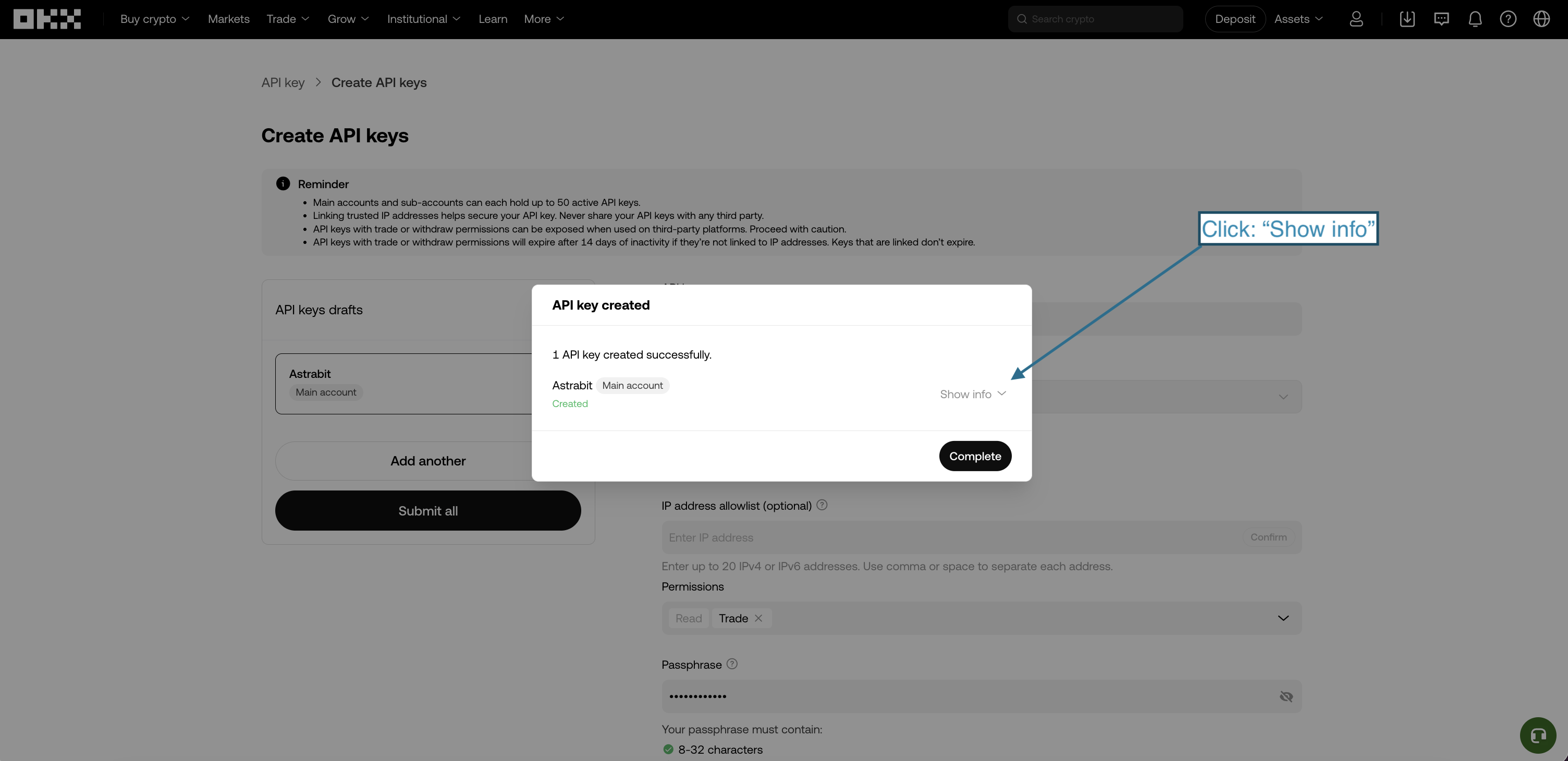
Store your API key, secret key, and passphrase securely. If lost or compromised, generate a new API key immediately.
Part 3 · Connect OKX to AstraBit
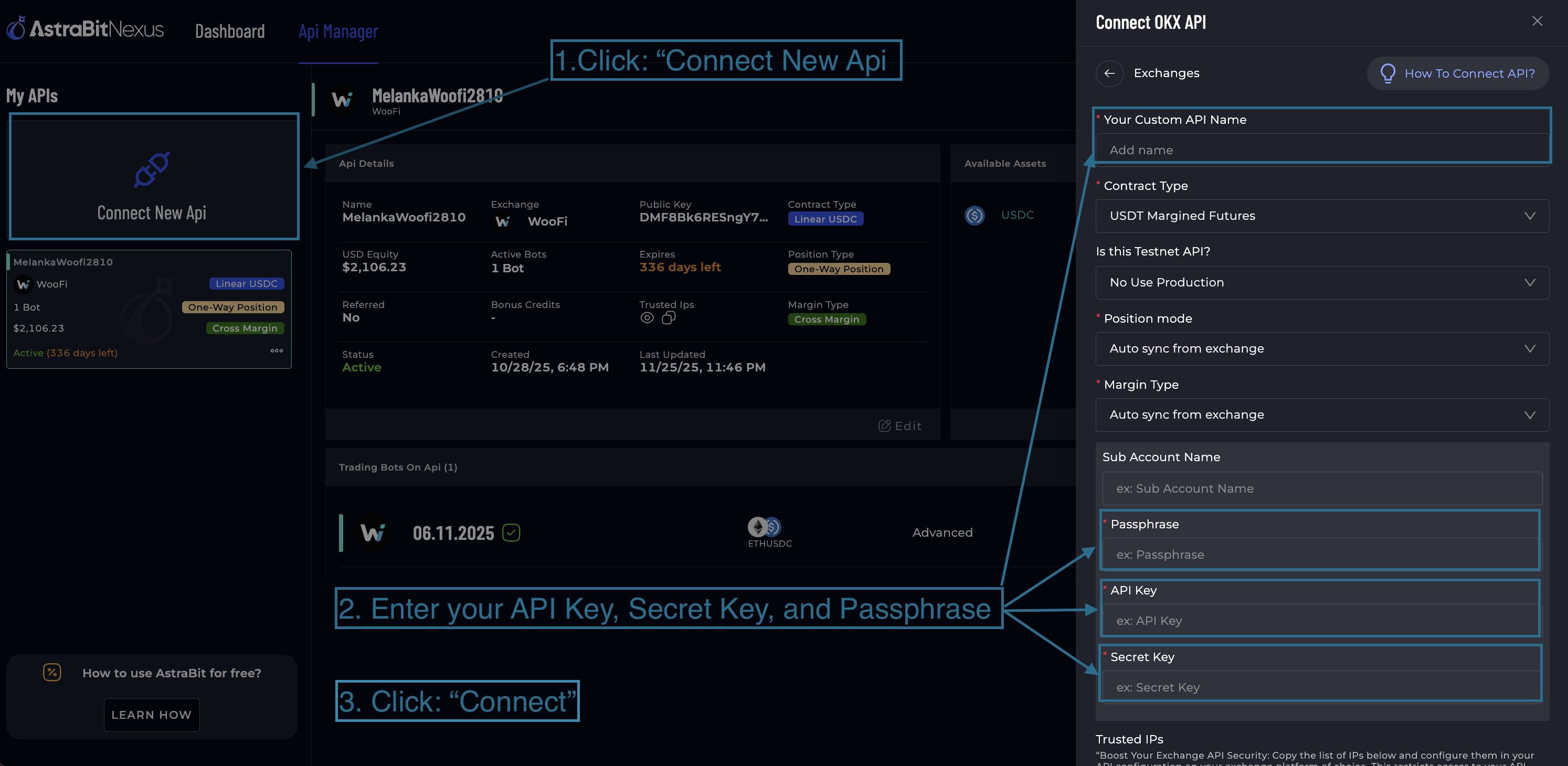
Connect in AstraBit
- Log in to your AstraBit Nexus Dashboard.
- Navigate to Exchanges → Connect Exchange → OKX.
- Enter your API Name, API Key, Secret Key, and Passphrase.
- Click Connect.
Final Check
API Configuration Checklist
Before you create a bot, make sure your OKX API has:
Need a Hand?
If you experience any problems, contact support by email or submit a ticket through Discord.
Security Reminder
Your Keys, Your Funds
API permissions strictly limit what AstraBit can do with your OKX account.
Cannot Withdraw
AstraBit cannot withdraw funds from your account. Ever.
Cannot Move Assets
AstraBit cannot move or transfer assets between accounts or wallets.
Trades Only
AstraBit can only trade using the permissions you approve.
Important Risk Notice: AstraBit provides tools for automated trade execution. AstraBit does not provide investment, legal, or tax advice and does not guarantee performance. Trading digital assets involves substantial risk, including the possible loss of capital.
Connected? Put it to work.
Your OKX API is live in the Nexus dashboard. The next step is creating a trading bot and linking it to a strategy.
