
Exchange Connections · Help Center
Connect KuCoin to AstraBit
Link your KuCoin account to AstraBit with API keys so the two platforms can communicate securely — where to find API settings on KuCoin, how to create and configure keys with the right permissions and passphrase, and where to enter that information in AstraBit. Seven steps, start to finish.
New to KuCoin? Register through this link to become Freemium-eligible — earn credits from trading volume that reduce or cover AstraBit costs. Technical setup guide only; not trading advice.
Before You Begin
What to Check First
Confirm these requirements before attempting to connect your KuCoin Futures account to your AstraBit Nexus account via API.
Futures Trading
You’ll be trading with USDT-M Futures from your KuCoin Futures account.
Fund Before You Connect
Move funds into your KuCoin Futures wallet first. If the futures account is empty when you connect, the API link will fail. Keep a minimum balance of at least $150.
Passphrase Is Forever
KuCoin requires an API Passphrase that you create yourself to authenticate API requests. It cannot be recovered later — if lost, you’d need to create a new API key. Store it securely.
Least-Privilege API
Your API key only needs General and Futures Trading permission. Leave Spot, Margin, and Transfer permissions off — AstraBit never needs them.
Step-by-Step Setup
Seven Steps,
Start to Finish
Create your KuCoin API key, lock down its permissions, and connect it in AstraBit.
Required KuCoin Configuration
- Trading: USDT-M Futures
- Minimum balance: $150+ in the futures wallet
- API permissions: General + Futures Trading only
- Spot / Margin / Transfer left disabled
You’ll also create an API Passphrase during setup — AstraBit asks for it when connecting.
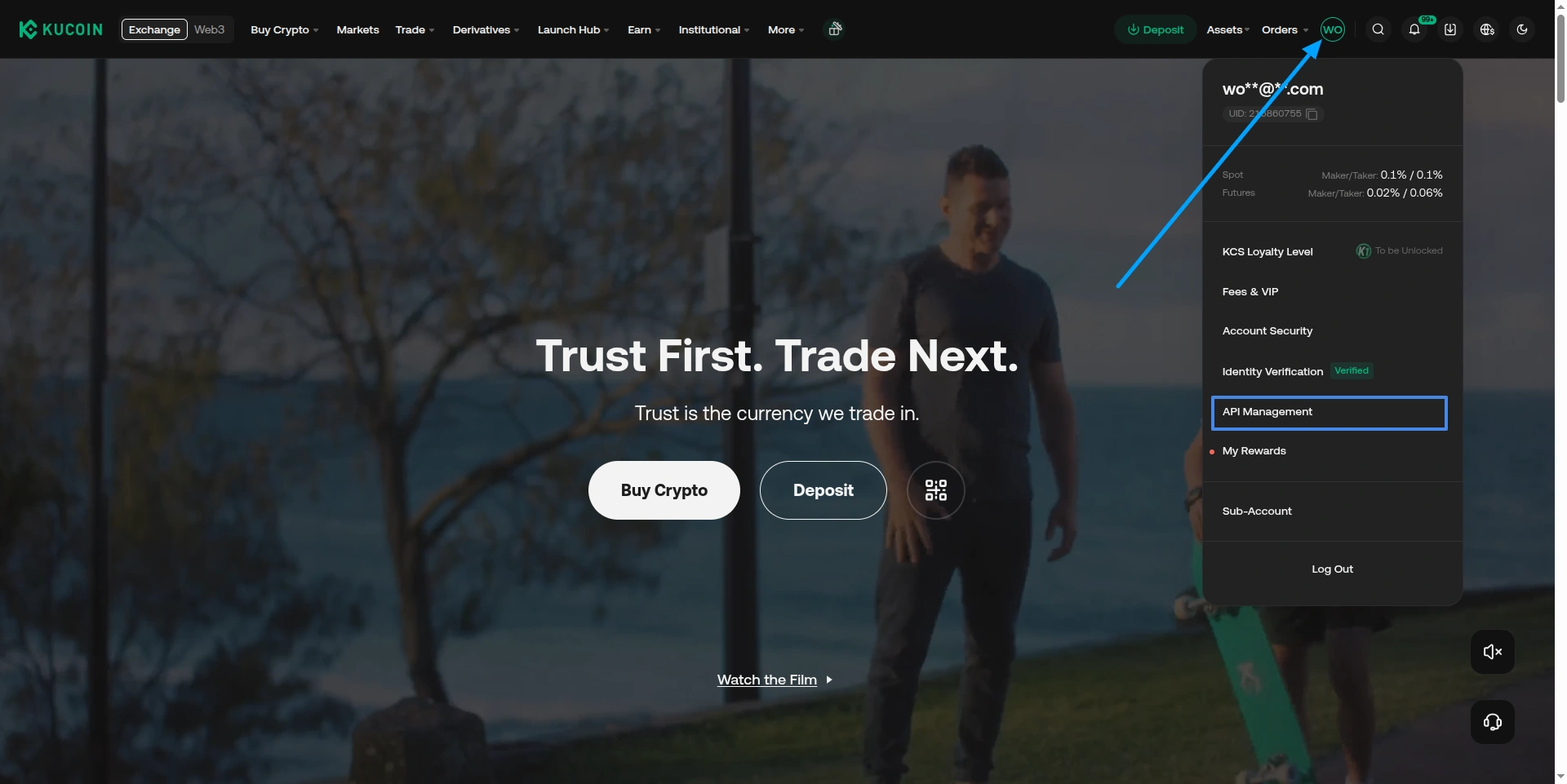
Log In & Open API Management
- Log in to your KuCoin account.
- Hover over your Profile icon (top right).
- Select API Management from the dropdown.
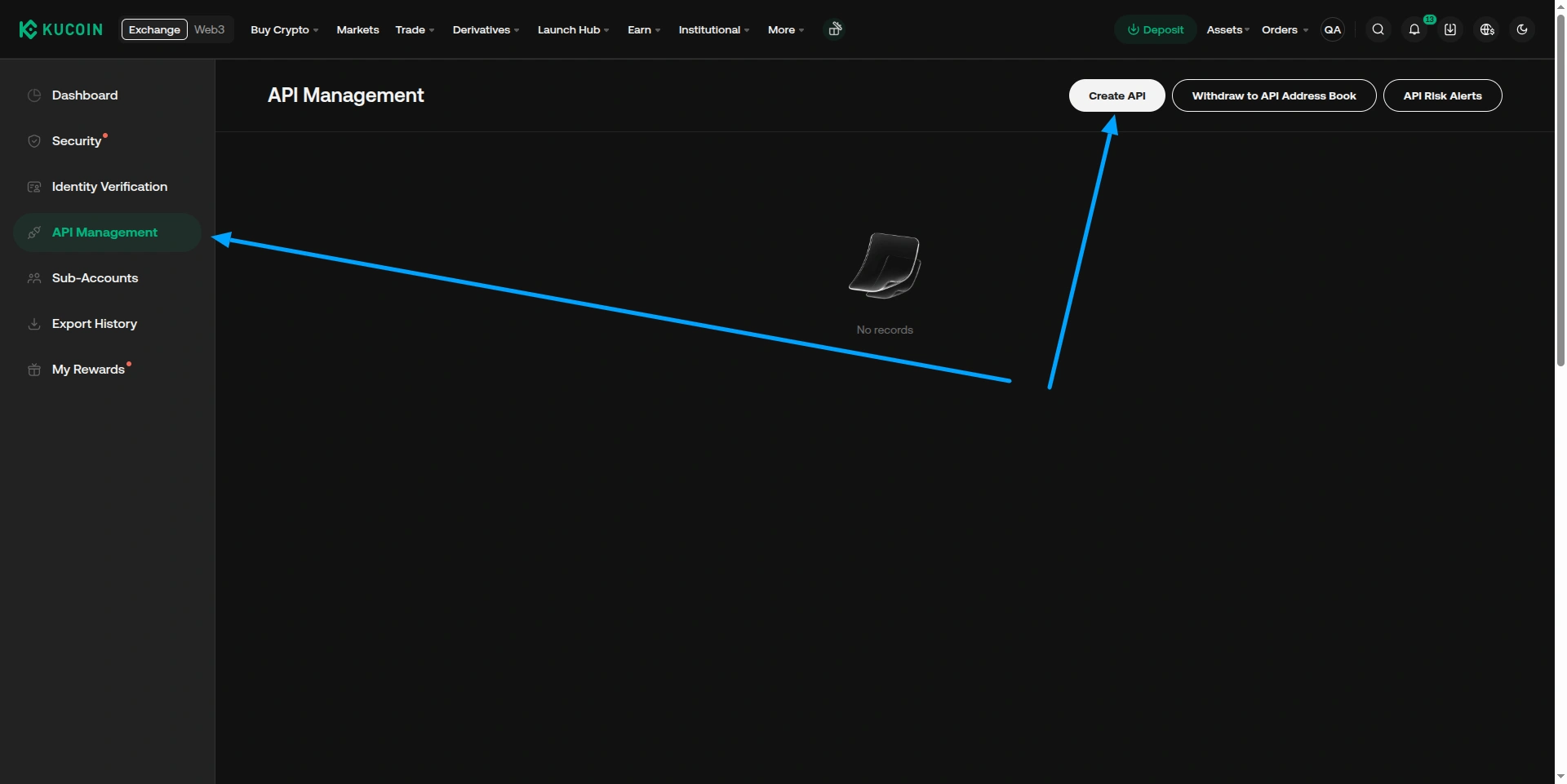
Create API Key
- On the API Management page, click Create API.
- Choose API Trading (not Link Third-Party Applications).
If KuCoin shows separate Spot and Futures API sections, make sure you create the key under Futures API, not Spot/Margin.
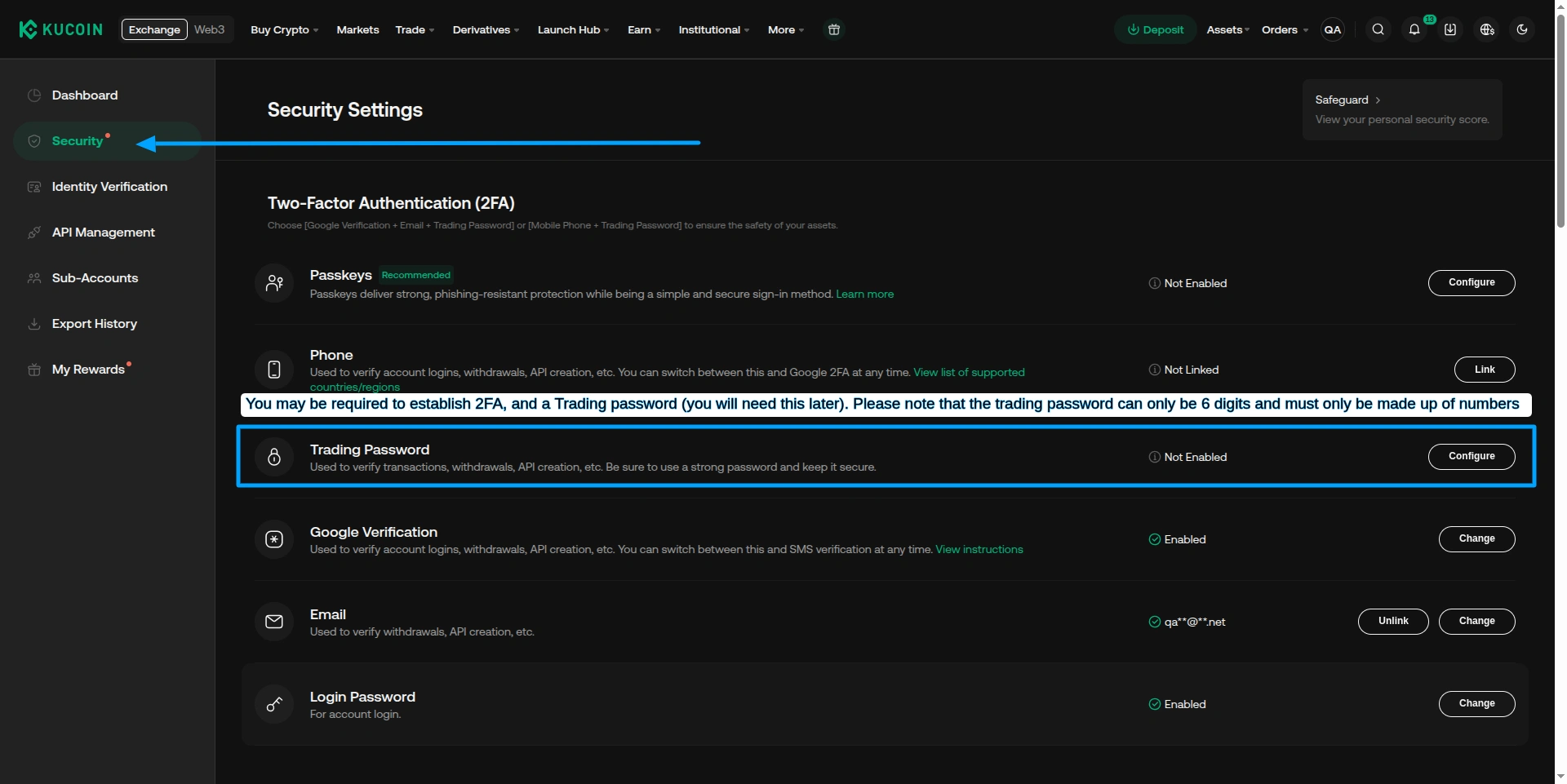
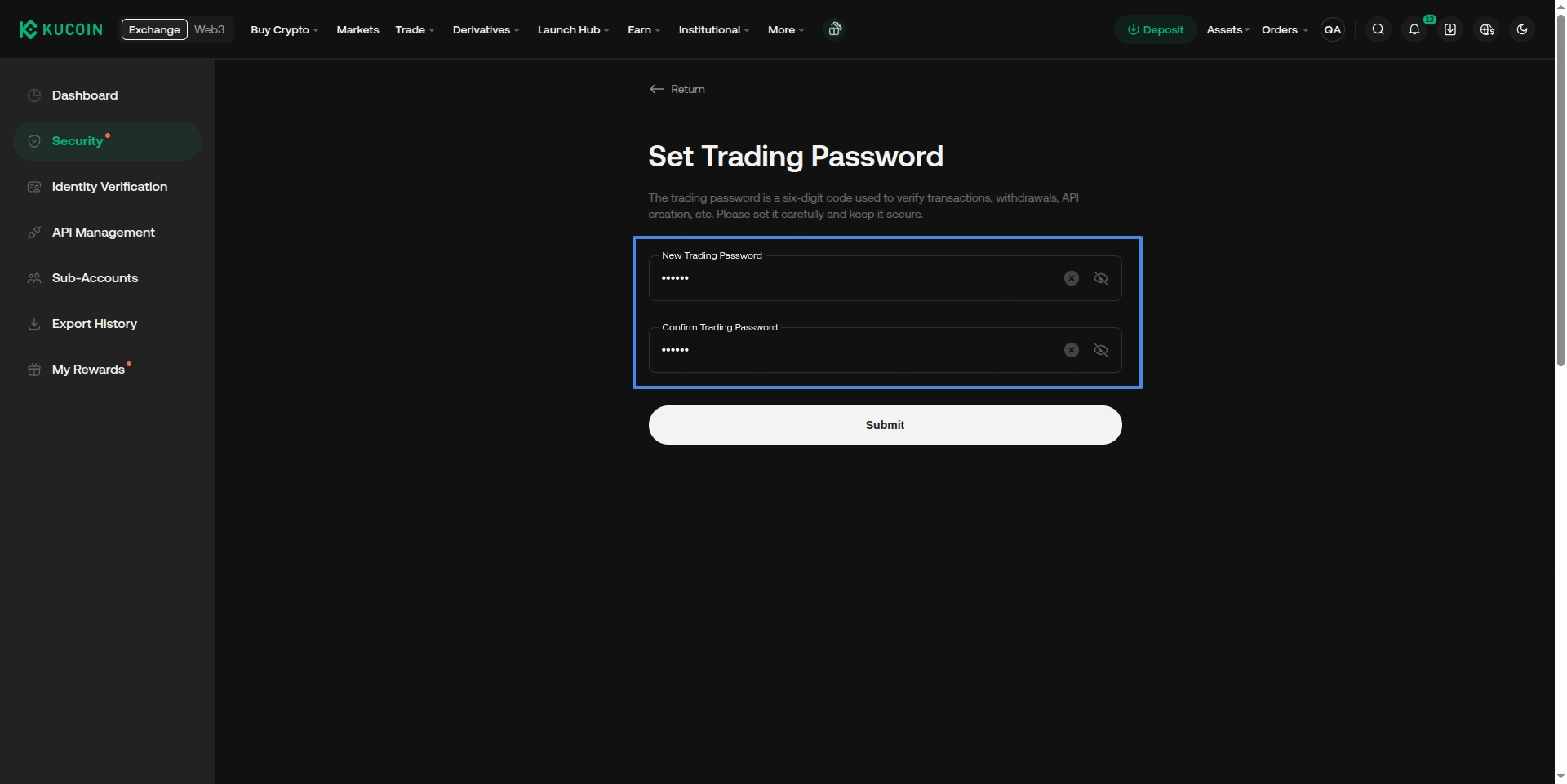
Name the API & Set a Passphrase
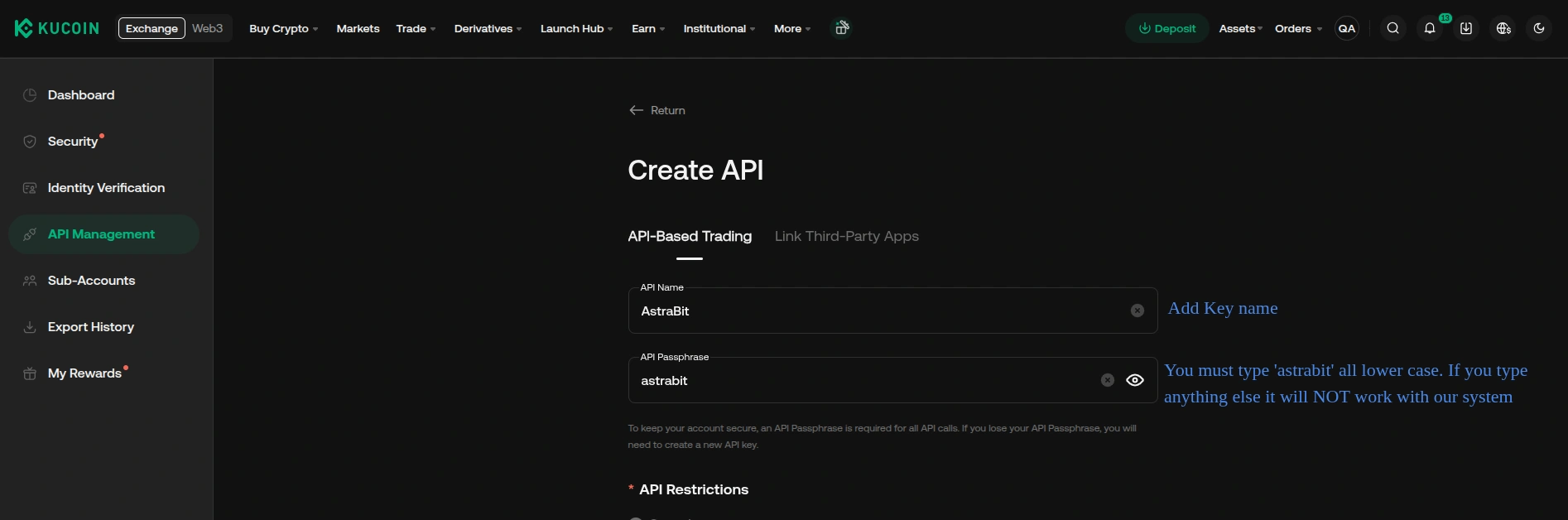
- Enter an API Name (e.g., AstraBit).
- Create an API Passphrase — you will need this exact value in AstraBit.
Attention: the Passphrase is set by you and cannot be retrieved later. Record it somewhere safe — if lost, you’ll have to create a new API key.
Configure API Permissions
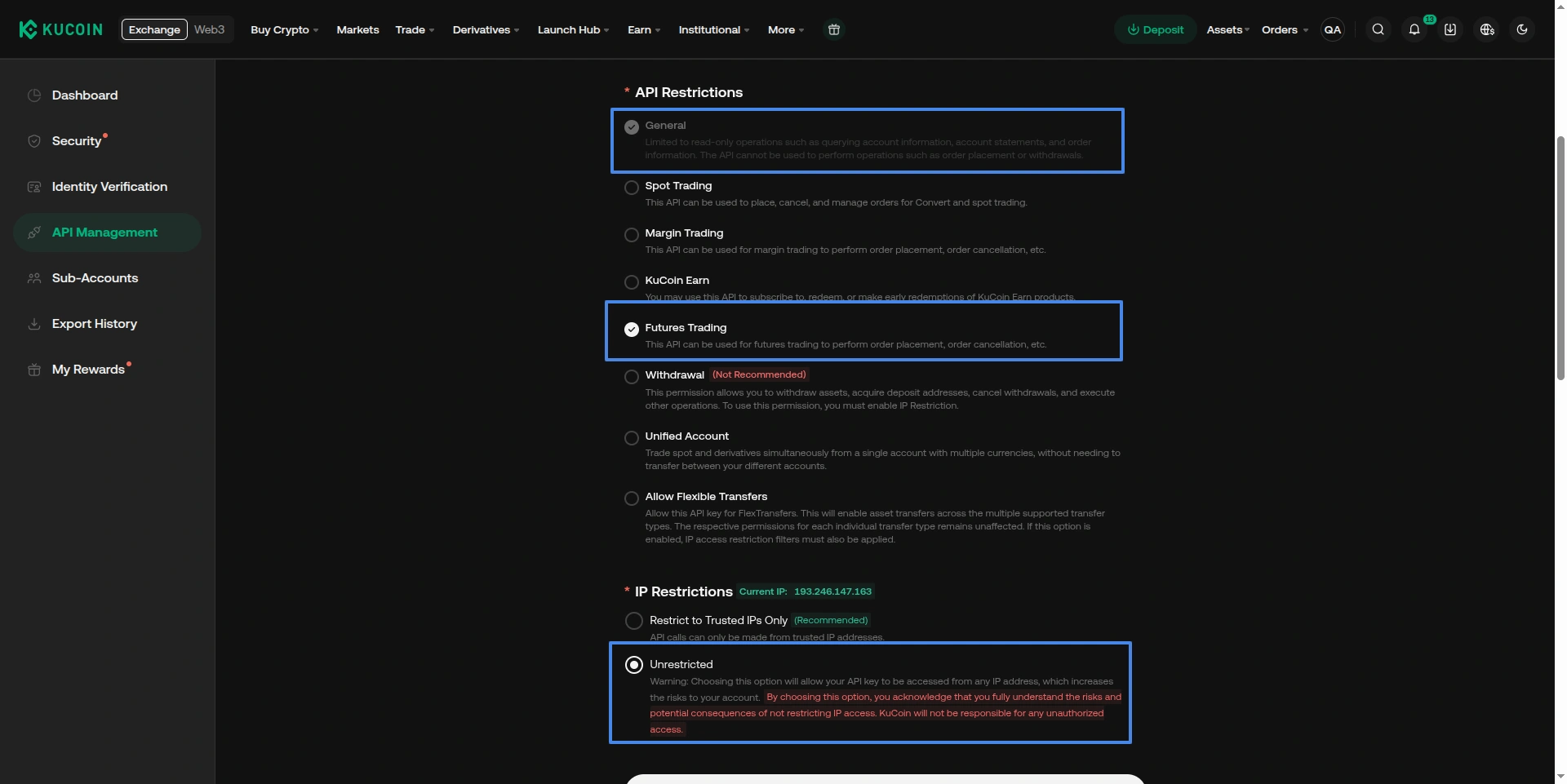
- Set the API restrictions / permissions:
✓ Enable
- General (read)
- Futures Trading
✕ Leave Off
- Spot / Margin Trading
- Transfer / Withdrawal
(Recommended) Add AstraBit’s IP addresses to the whitelist. Note: KuCoin keys with trading permissions but no IP whitelist are disabled after 30 days of inactivity.
Complete Security Verification
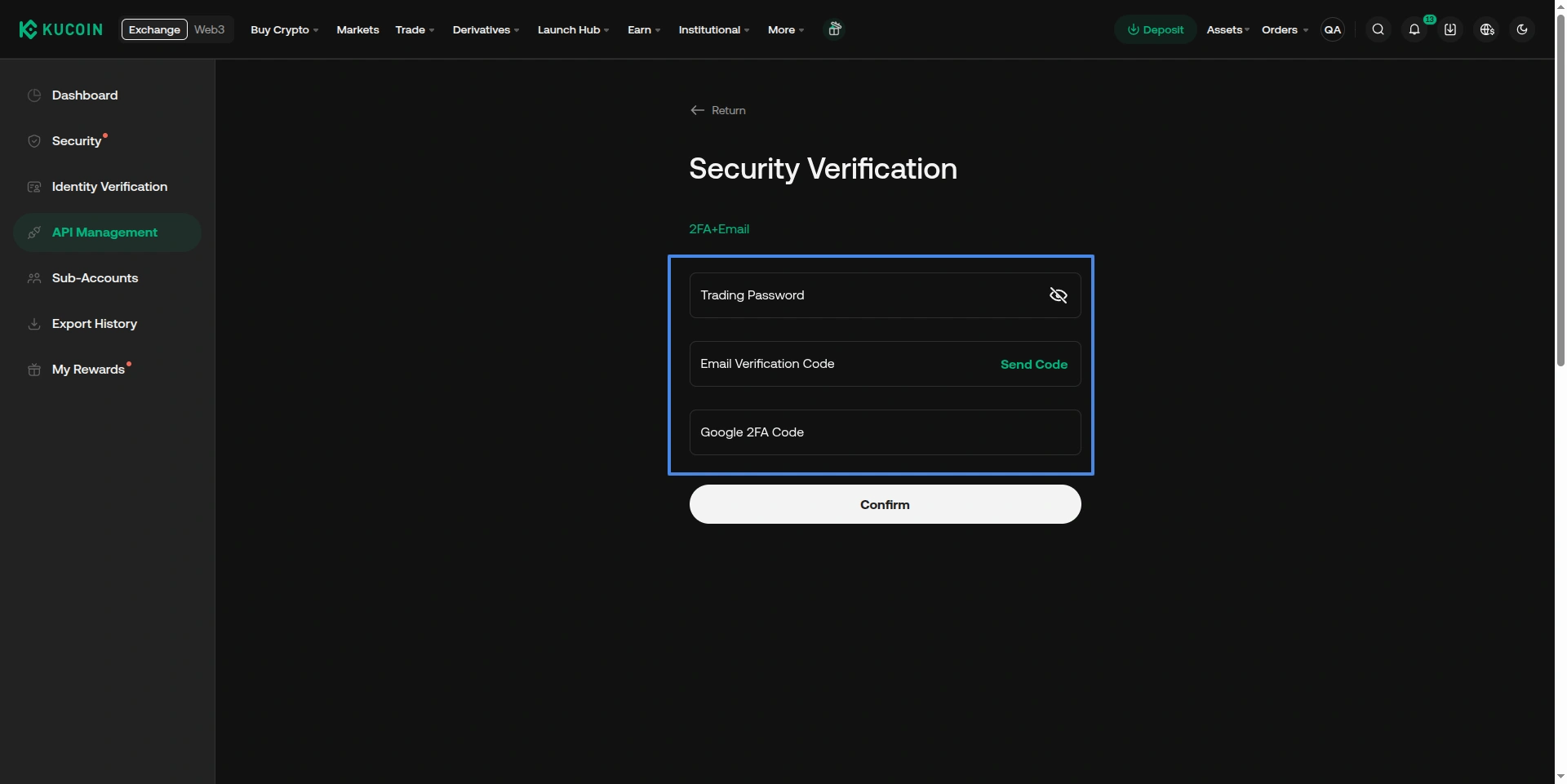
- Enter your trading password, email code, and Google Authenticator code (if enabled).
- Click Confirm.
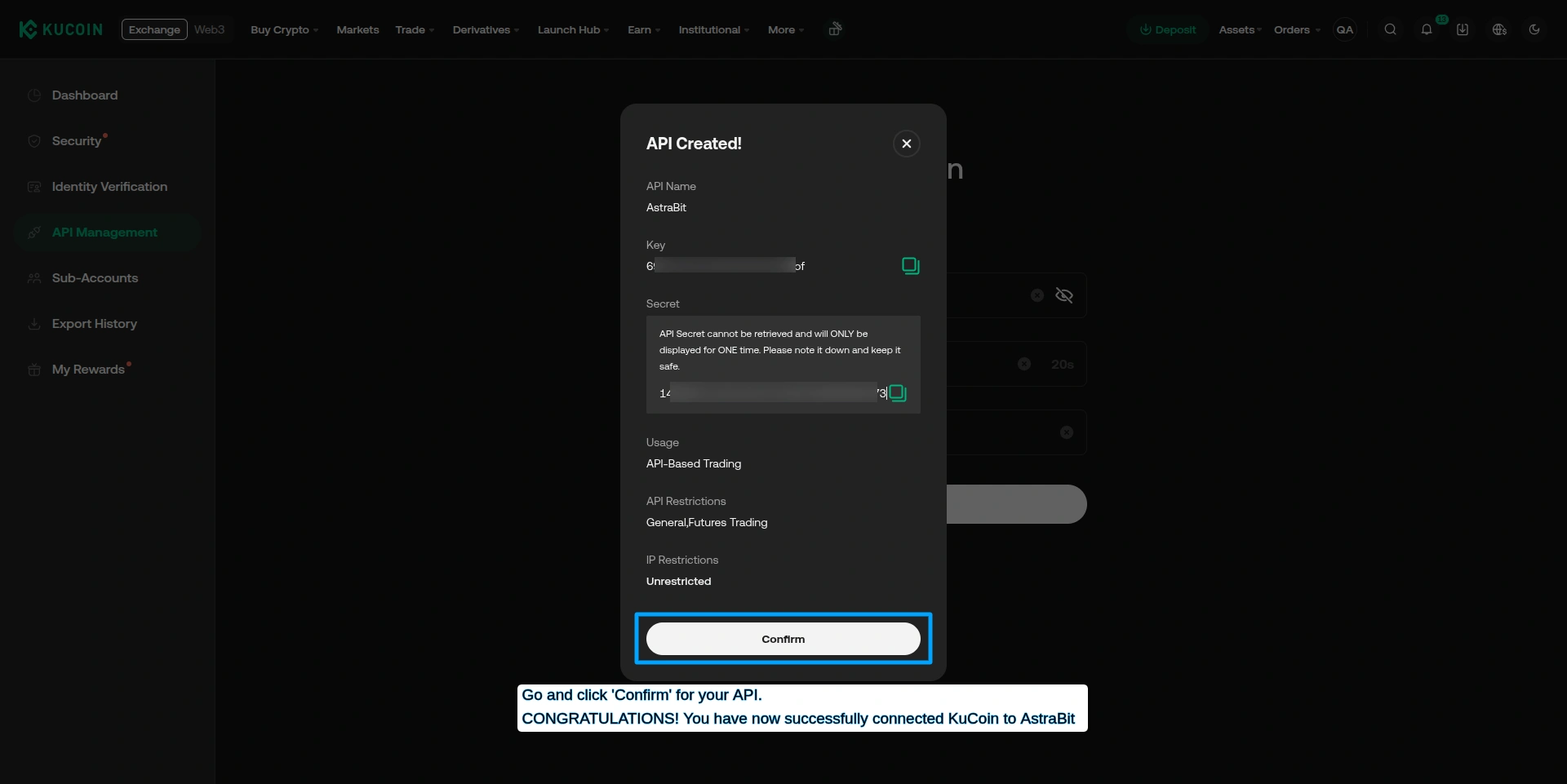
Copy API Credentials
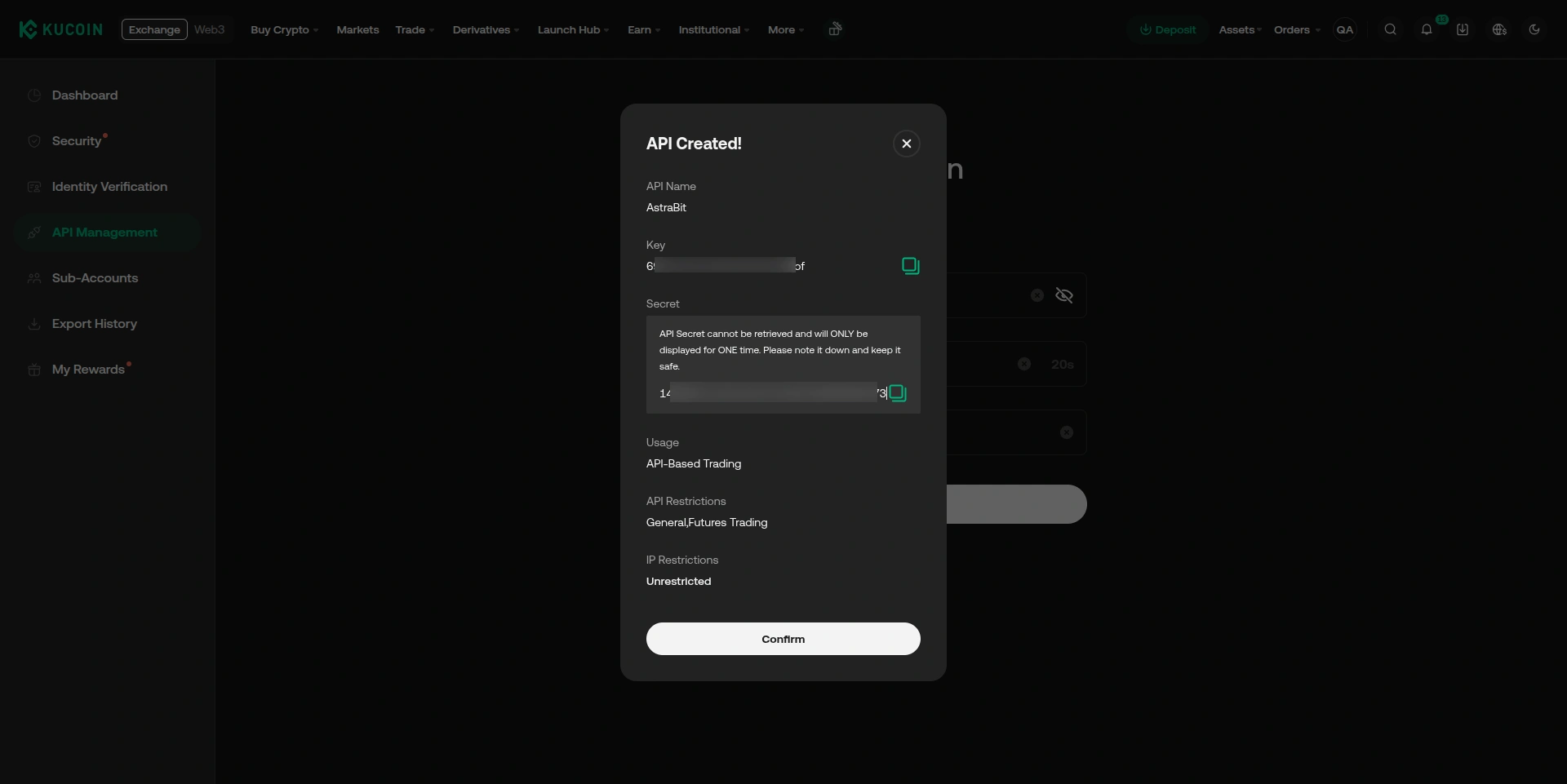
- Copy your API Key.
- Copy your Secret Key.
- Keep your Passphrase with them.
Attention: the Secret Key is only shown once — store it securely.
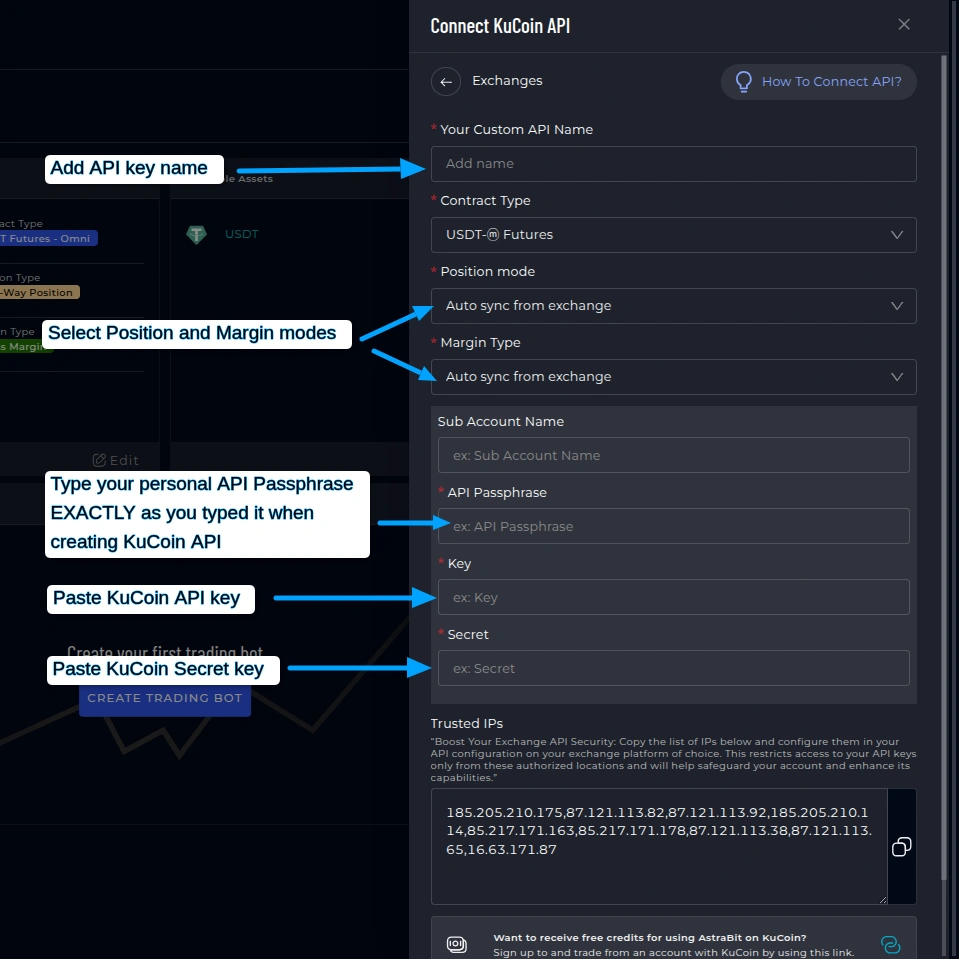
Connect KuCoin in AstraBit
- Log in to your AstraBit Nexus Dashboard.
- Navigate to Exchanges → Connect Exchange → KuCoin.
- Enter:
- API Name: anything you like
- API Key, Secret Key, and Passphrase: from Step 6
- Contract Type: USDT Futures (or applicable)
- Position Mode: Auto sync from exchange
- Margin Type: Auto sync from exchange
- Click Connect.
Connection failing? Confirm your KuCoin Futures wallet is funded before connecting — an empty futures account is the most common cause.
Final Check
API Configuration Checklist
Before you create a bot, make sure your KuCoin API has:
Need a Hand?
If you experience any problems, contact support by email or submit a ticket through Discord.
Security Reminder
Your Keys, Your Funds
API permissions strictly limit what AstraBit can do with your KuCoin account.
Cannot Withdraw
AstraBit cannot withdraw funds from your account. Ever.
Cannot Transfer
AstraBit cannot transfer funds between accounts or wallets.
Trades Only
AstraBit only executes trades via the API permissions you grant.
Connected? Put it to work.
Your KuCoin API is live in the Nexus dashboard. The next step is creating a trading bot and linking it to a strategy.
