
Referrals · Help Center
Invite a Friend and Earn AstraBit Credits
Share your personal referral code from AstraBit Pay and earn a special bonus of 10 credits. It takes about a minute — copy your code, send it to a friend, and the bonus lands in your balance. Credits are worth $1 each and go straight toward running your AstraBit bots.
Bonus amount and eligibility can vary by promotion and region. This is a quick how-to guide, not financial advice.
Before You Start
How Referrals Work
A few quick things to know about inviting a friend to AstraBit.
Where to Find It
Sign in to AstraBit Pay, open the Billing menu, and select Invite a Friend. Your unique referral code lives on that page.
What You Earn
Invite a friend with your code and redeem a special bonus of 10 credits. The bonus is added to your AstraBit Pay balance.
How Credits Work
Every credit is worth $1. Credits cover your bots’ daily rates, so referral bonuses go directly toward your trading.
Sharing Your Code
Send your code any way you like — message, email, or social. Your friend enters it when they sign up to unlock the reward.
Step-by-Step
Share Your Code
in Three Steps
Grab your referral code from AstraBit Pay, share it with a friend, and watch the bonus credits land in your balance.
The Short Version
- Open Billing → Invite a Friend
- Copy your referral code
- Share it — earn 10 credits
Your balance and loyalty points always show at the top of AstraBit Pay.
Open Invite a Friend
- Sign in to AstraBit Pay.
- Open the Billing menu in the sidebar.
- Select Invite a Friend.
In a hurry? Jump straight to the Invite a Friend page →
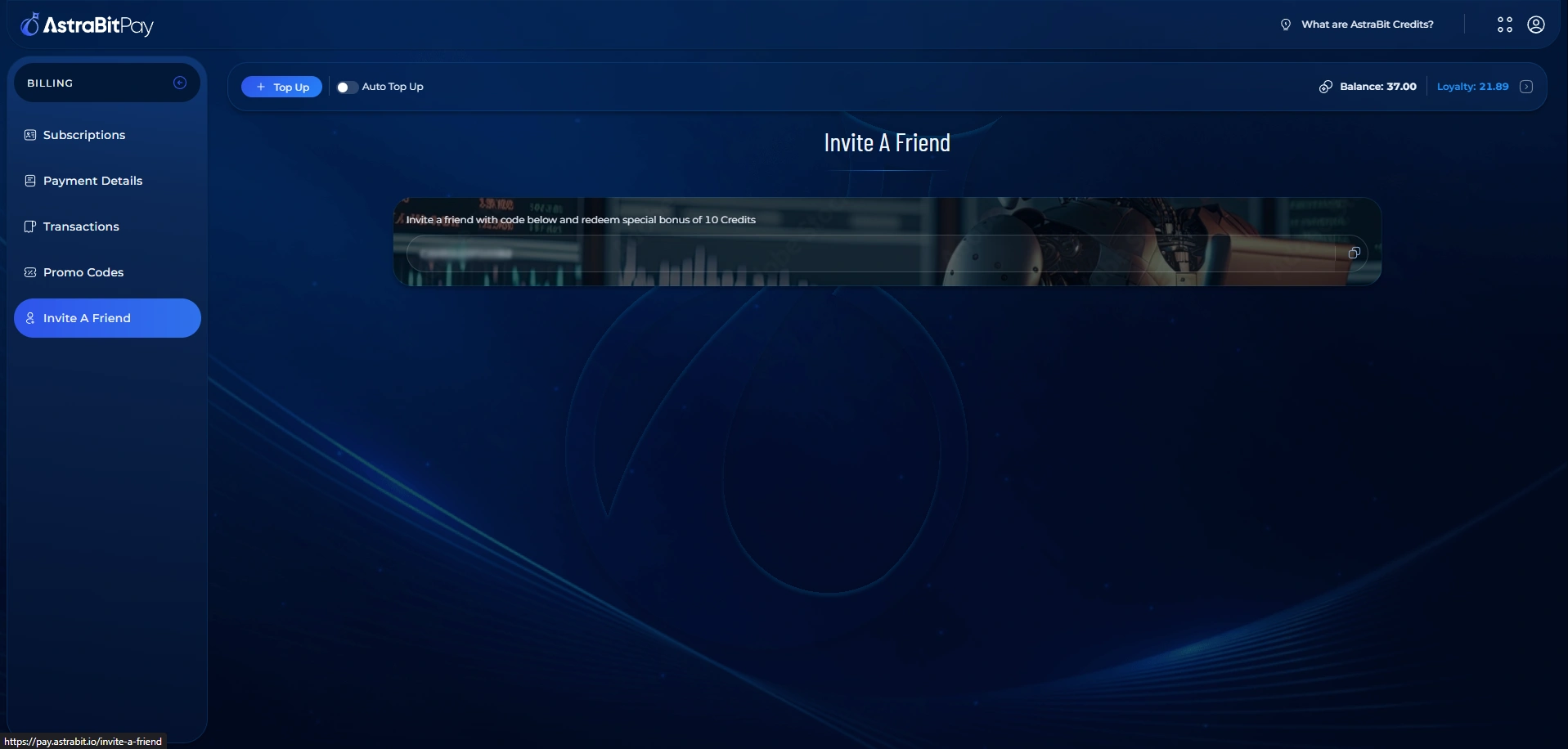
Copy Your Referral Code
- Find your unique referral code in the box on the page.
- Click the copy icon to copy it to your clipboard.
Your code is personal to your account — anyone who signs up with it is tied to your referral.
Share It and Earn
- Send your code to a friend by message, email, or social.
- Have them enter it when they sign up for AstraBit.
- Once it’s redeemed, your special bonus of 10 credits is added to your balance.
Bonus credits appear in your AstraBit Pay balance at the top of the dashboard.
Didn’t Get Your Bonus?
Make sure your friend entered your exact code when signing up. If the credits still haven’t appeared, contact AstraBit Support or open a ticket through Discord and let them know your referral code.
FAQ
Referral Questions
Quick answers to the most common questions about inviting friends and earning credits.
Where do I find my referral code?
How many credits do I earn?
Is there a limit to how many friends I can invite?
When will my bonus credits appear?
What can I use my credits for?
What does my friend need to do?
Good to Know
Make the Most of Your Credits
A quick recap of how the referral bonus works and where your credits go.
10-Credit Bonus
Earn a special bonus of 10 credits each time you invite a friend with your code.
Credits = $1 Each
Every credit is worth $1 and goes toward the daily rate of your AstraBit bots.
Track Your Balance
Your credit balance and loyalty points are always visible at the top of AstraBit Pay.
Put your credits to work.
Turn your referral bonus into automated trading — connect an exchange and set up your first bot in minutes.
